Paprika vs. a Shared Family Cookbook: What Solo Recipe Managers Miss
Paprika is an excellent recipe manager for one person. Here is where that model breaks down for a family, and what changes when the cookbook is shared.
Best starting point
Create one shared cookbook first, then decide how each household should contribute.
The app gives every family member a place to add recipes, preserve source photos, comment with local variations, and find the same trusted version later.
In Recipes We Share
- Create the household cookbook and invite contributors.
- Add texted recipes, screenshots, and family versions as structured entries.
- Use comments and memories for local variations instead of duplicate chaos.
What this guide helps you decide
- How to avoid competing recipe versions.
- How to handle ownership and edits.
- How to make the archive usable across households.
Paprika is a good piece of software. If you are one person who cooks, wants recipes clipped from the web, and likes owning a tidy local database, it does that job well and it has done it for years.
This is not a takedown. It is an honest account of where the single-user model stops fitting, because that is the part nobody tells you before you have three hundred recipes in it.
The model each one is built on
Paprika is a personal recipe manager. You buy it per platform, your recipes live in your account, and sync exists to move your data between your devices.
A shared family cookbook is a household archive. The unit is not a person, it is a family. Several people contribute, everyone reads, and the collection is meant to outlive whoever set it up.
Nearly every practical difference falls out of that one distinction.
Where the solo model starts to strain
One person becomes the bottleneck
In a personal manager, whoever installed it becomes the family's data entry clerk. Your aunt texts a recipe, and it sits in the thread until you type it in. Your mother makes the good version of the pot roast, and it only gets recorded if she dictates it to you.
Every recipe has to route through one person's attention. That person is usually busy, and the collection grows at exactly the speed they have free evenings.
When the cookbook is shared, your aunt adds it herself. That is the whole difference, and it compounds every year.
The licence is per device, and the family is not
Paprika is bought per platform. A family with a mother on Android, a father on iPad, and two adult children on iPhones is buying it repeatedly, and each purchase produces another separate collection — not shared access to one.
You can pass an export around. Families do. It ends the way passing a spreadsheet around ends.
Sync moves your data; it does not let anyone else in
This is the subtle one. Paprika's sync is genuinely good at what it does: it keeps your devices consistent. But there is no notion of someone else contributing to the same book. There is no "your sister added Grandma's stuffing" — because there is no sister in the model.
The recipe survives, the story does not
A personal manager stores ingredients, steps, and maybe a note. That is the recipe.
It is not what makes a family recipe worth keeping. The thing you actually want in twenty years is "Grandma always doubled the cinnamon and wrote 'don't tell your father' in the margin." When only ingredients and steps get stored, that detail dies with the person who remembered it — and the recipe becomes indistinguishable from any other version on the internet.
What happens when you stop maintaining it
Ask the honest question: if you stopped touching your recipe app for ten years, what would your children find?
With a local database and a per-platform licence, the answer is usually an export file in a format they will have to look up. With a shared household cookbook, the answer is that the other members still have it, because they were never dependent on you in the first place.
Where Paprika is genuinely better
Being fair about this matters, because the wrong tool chosen for the wrong reason is how people end up migrating twice.
- Web clipping. Paprika's in-app browser and parser are mature and handle a very wide range of food blogs.
- Offline-first and local. Your data sits on your device. If that is your priority, it is a real advantage.
- One-time purchase. No subscription. For a single cook, the total cost is low and predictable.
- Pantry and grocery depth. Long-standing, well-developed features.
If you cook alone and want a private, offline, one-time-purchase recipe database, Paprika is a reasonable answer and you should keep using it.
Where a shared cookbook is the better fit
- More than one person cooks. Anyone in the household can add a recipe without going through you.
- The recipes have history. You want the story, the photo of the handwritten card, and who it came from — not just the ingredient list.
- Handwritten cards. A box of index cards is the most common starting point, and it needs scanning, not clipping. See how to digitize handwritten recipes for the actual process.
- You want it to outlast you. Multiple members with real access is the only durable form of backup.
A concrete way to decide
Answer these three:
- Will anyone other than you ever add a recipe? If yes, a personal manager will bottleneck.
- Are the recipes valuable because they are good, or because they are yours? A stranger's brownie recipe is replaceable. Your grandmother's is not, and it deserves storage that keeps the context.
- What happens to this collection if you lose interest for a decade? Whichever tool survives that answer is the right one.
If you are moving from a solo manager
You do not have to migrate everything, and you should not try. It is the single most common reason people abandon the switch halfway.
Start with the recipes that only exist in your family — the handwritten ones, the ones nobody has published. Anything you clipped from a food blog is still on that food blog; it can wait, or never come at all.
Our own starter library covers the everyday dishes so you are not staring at an empty book while you work: Sunday Pot Roast, Classic Beef Lasagna, Golden Baked Mac and Cheese and about eighty others are there from the first day.
Then invite the family. The point of the exercise is that you stop being the only one holding it.
Start a shared family cookbook free — no credit card, and the free plan is enough to see whether your family actually contributes. That is the only test that matters.
Ingredient weights mentioned in this guide
Make the shared cookbook real
Bring scattered recipes into one household cookbook your family can actually use
Recipes We Share is built for the moment when recipes are spread across texts, screenshots, and different kitchens. Save them once, organize them into collections, and share access without losing control of the archive.
- Give each household member their own login
- Keep shared recipes, comments, and memories together
- Organize by holiday, person, or collection instead of message thread
On this page
Related posts
More articles in guides to keep the momentum going.
Get Your Holiday Ingredient Math Right Before the Holiday
Recipe cards say "a turkey," "a can of pumpkin," "a stick of butter" — not grams. Work out the real weights for your Thanksgiving and Christmas baking menu now, while there's still time to shop and scale with confidence.
How to Make a Printed Cookbook From Family Recipes
A practical guide to turning scattered family recipes into a real printed book — what to include, how to order it, and the mistakes that cost reprints.
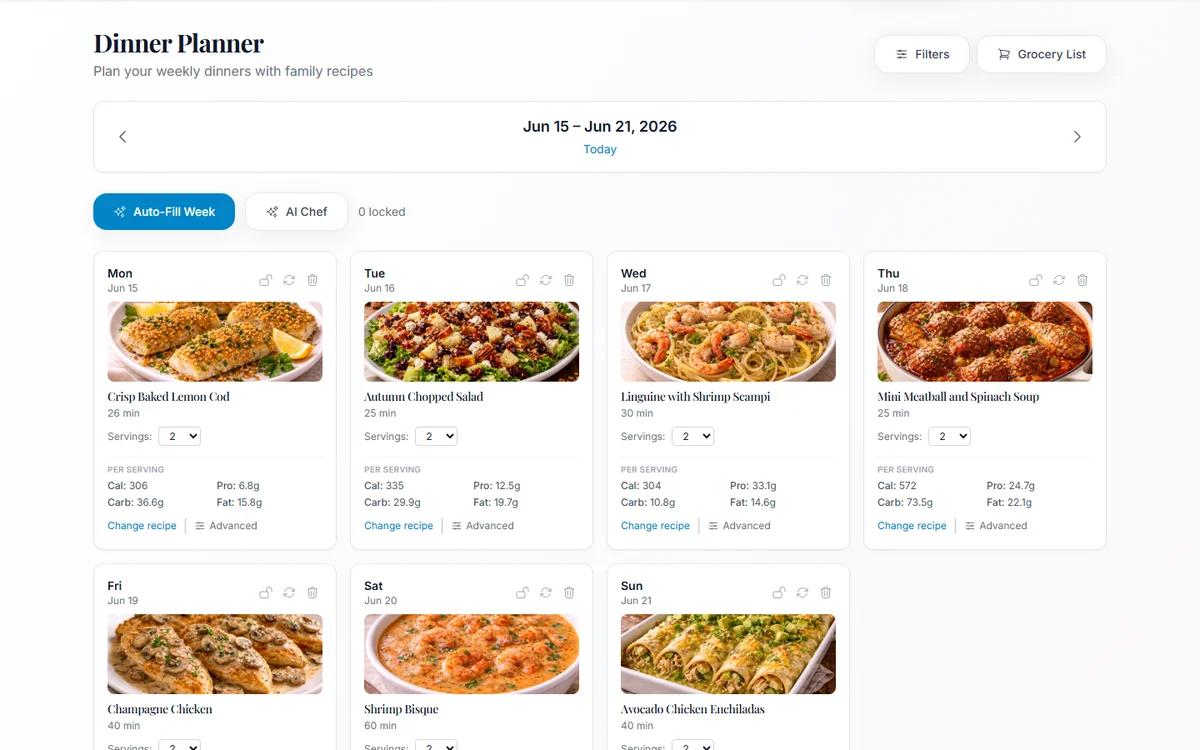
Meal Planning From Your Own Family Cookbook (Not a Stranger's Blog)
Most meal planners suggest recipes nobody in your house has agreed to eat. Planning from dishes your family already likes removes the hardest step.