Browsing the cookbook
See every recipe from one person
Filter the cookbook by the person a recipe came from, including relatives who never use the app.
24 sec · no sound needed: every step is on screen
How it works
- Recipes can be credited to the relative they came from, even without an account.
- The cookbook can be filtered by that person, or by category.
Step by step
- 1
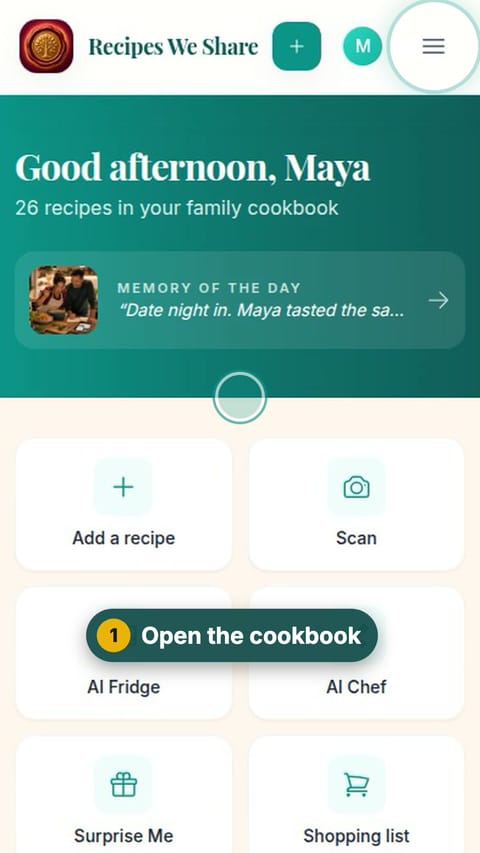
Open the cookbook
Open the menu and tap Browse Recipes.
- 2
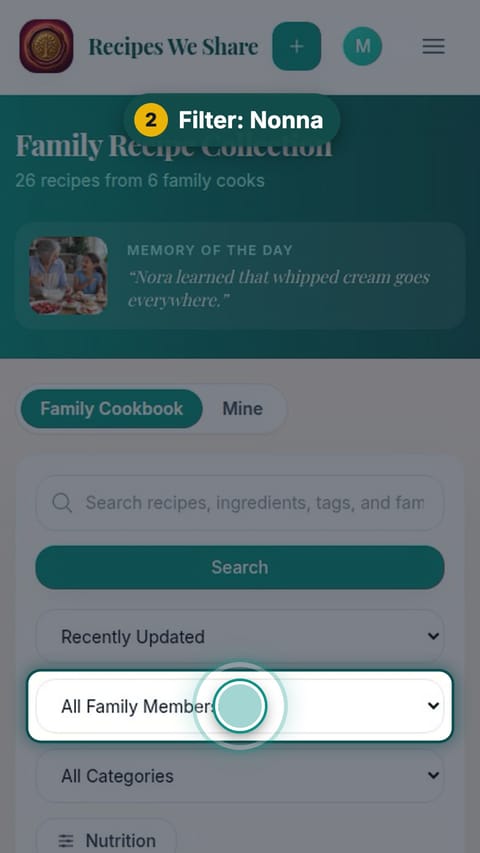
Filter: Nonna
In the family member filter, choose Nonna.
- 3
All of Nonna’s
Every recipe credited to her, together.
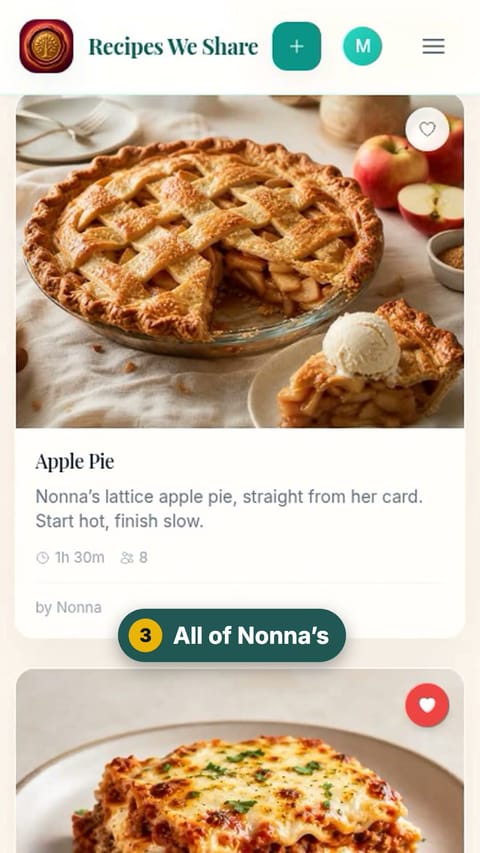
Only Nonna’s recipes are showing.
More guides like this
Find a recipe
The whole family cookbook in one place, searchable by name or ingredient.
Read a recipe
A recipe page: resize the servings, see the original handwritten card, the family’s notes and memories, and the recipe’s history.
Make a collection
Group recipes into collections like Pizza Night or Holiday Table.
Start your family cookbook
Save the recipes your family actually cooks, from anywhere, in one place.