Cooking and planning
Plan the week’s dinners
Put the family’s own recipes on the week’s dinner calendar, lock the ones to keep, fill the rest in one tap, and get one combined grocery list.
55 sec · no sound needed: every step is on screen
How it works
- Plan dinners for the week from your own cookbook.
- Lock the dinners you want to keep; Auto-Fill Week fills every other night from your recipes.
- The grocery list combines the ingredients from every planned meal.
Step by step
- 1
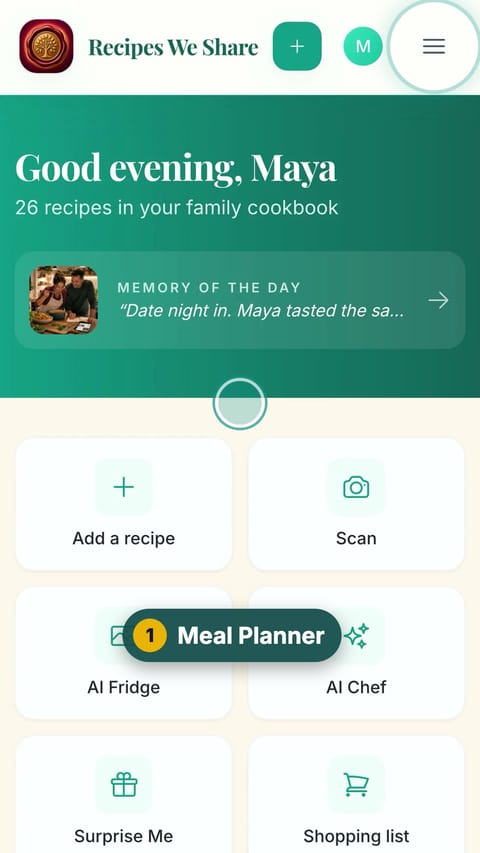
Meal Planner
Open the menu and tap Meal Planner.
- 2
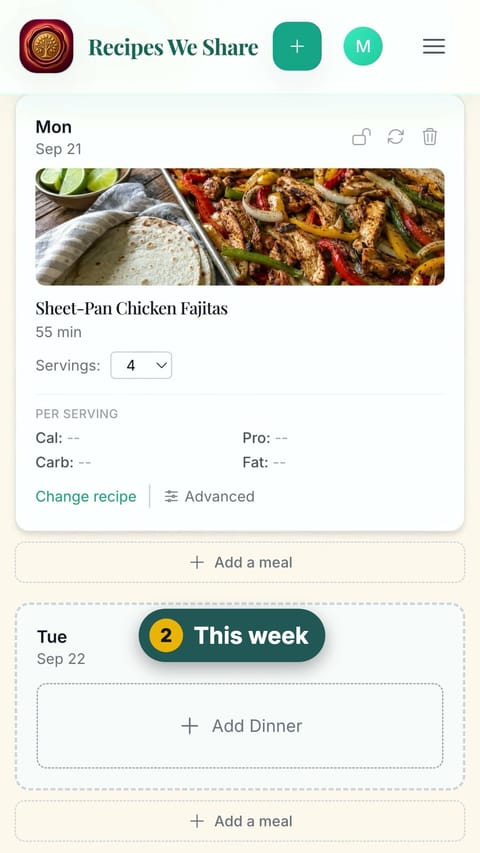
This week
Each day of the week has a dinner slot.
- 3
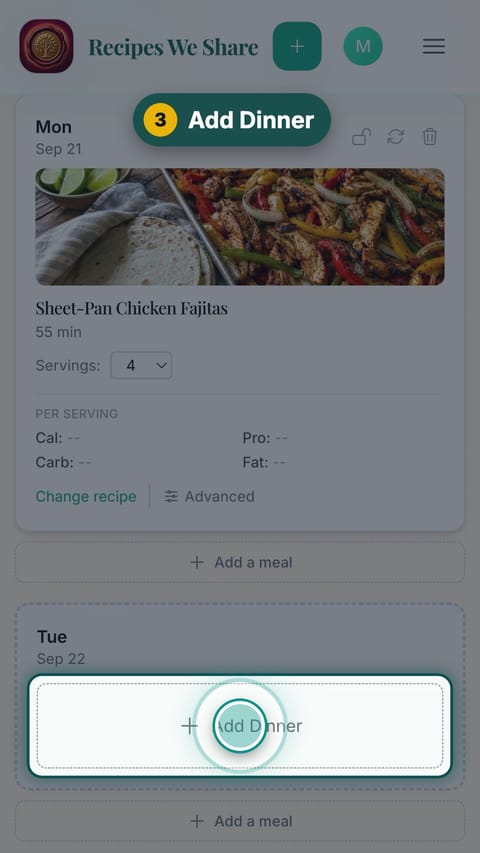
Add Dinner
Tap Add Dinner on an open night.
- 4
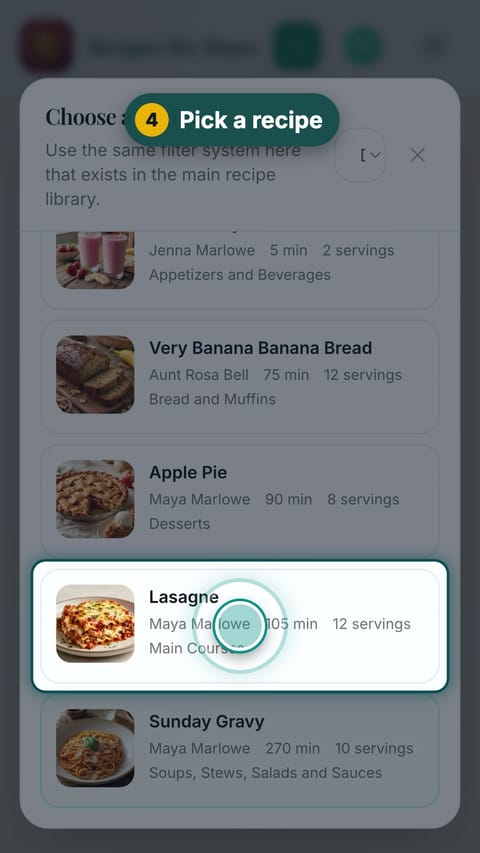
Pick a recipe
Pick a recipe from the family cookbook.
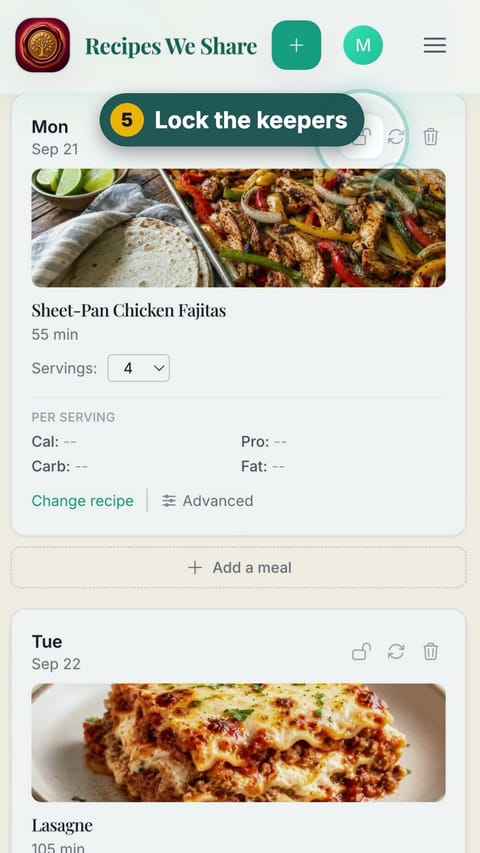
- 5
Lock the keepers
Tap the lock on each dinner you want to keep.
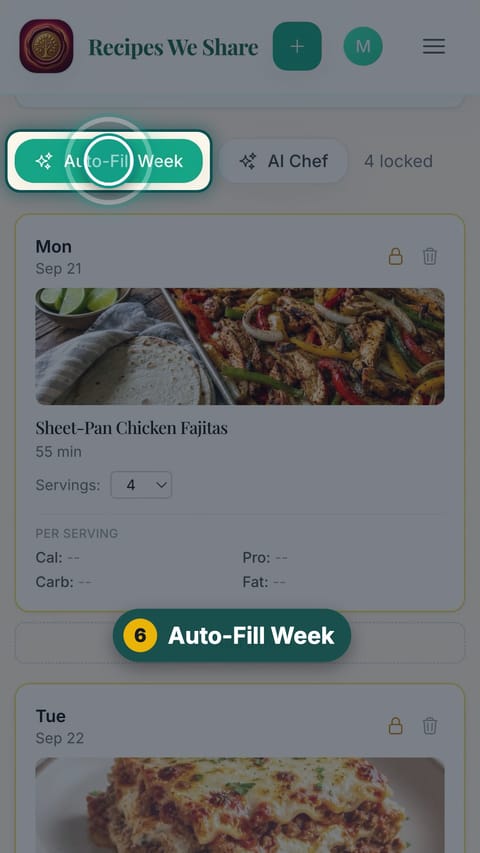
- 6
Auto-Fill Week
Tap Auto-Fill Week to fill every unlocked night from your recipes.
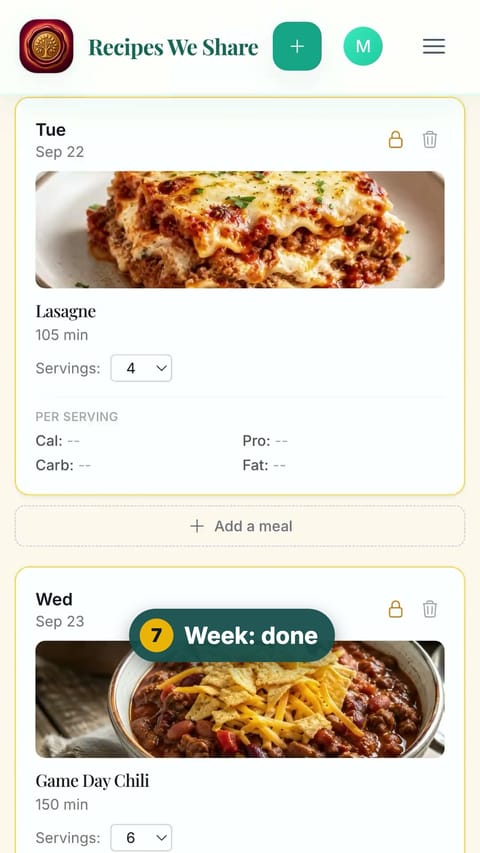
- 7
Week: done
Scroll through the planned week.
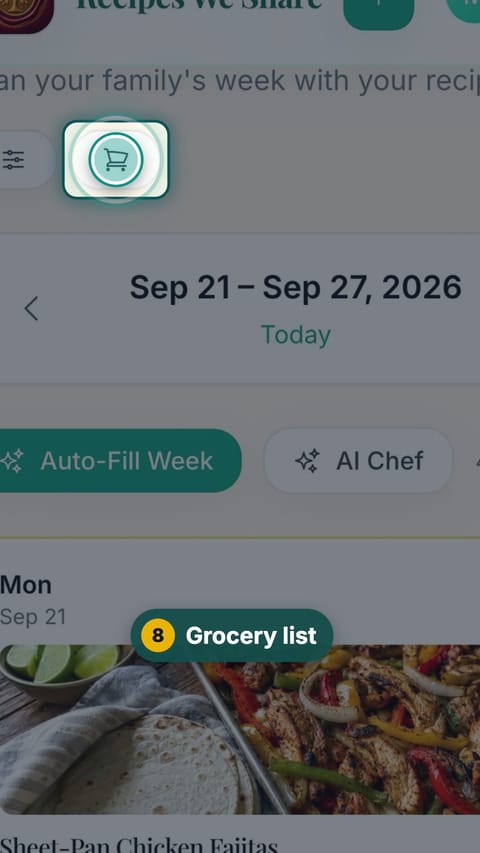
- 8
Grocery list
Tap the grocery list button at the top.
- 9
One list
Every ingredient for the week, combined and grouped.
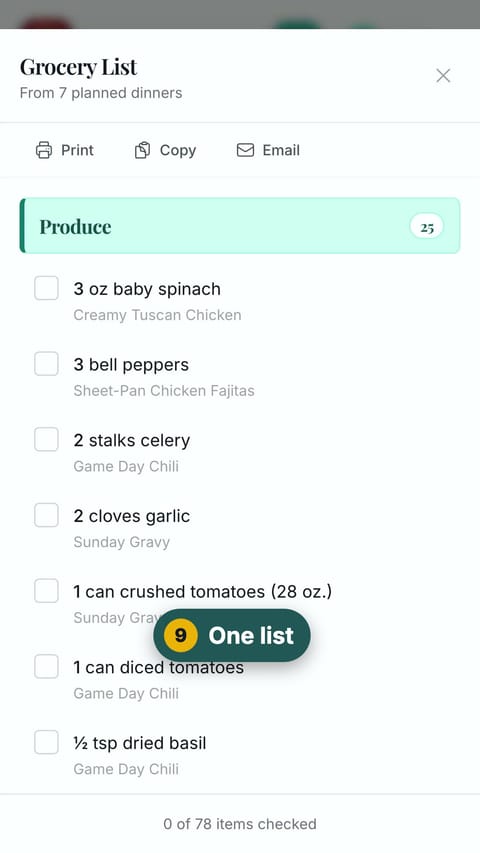
Every dinner this week is planned from the family cookbook, with one grocery list for all of them.
Start your family cookbook
Save the recipes your family actually cooks, from anywhere, in one place.