Cooking and planning
Cook a recipe step by step
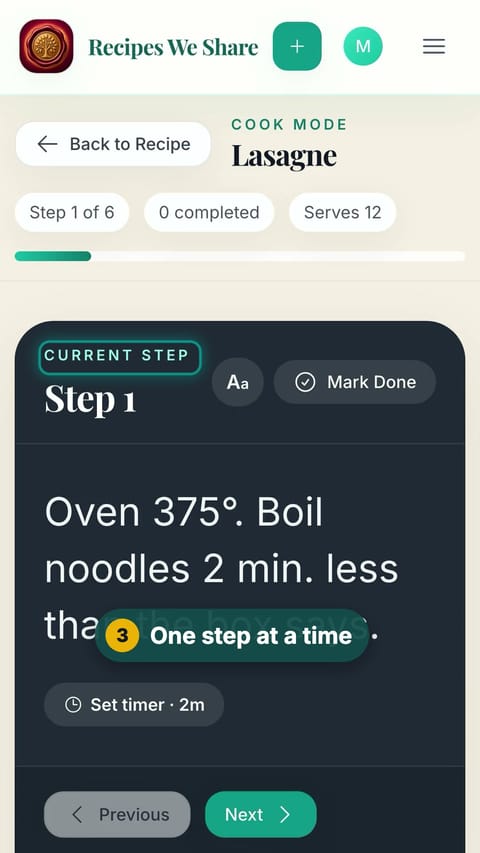
Cook mode shows one big step at a time, with the amounts written into each step, built-in timers, and a checklist.
49 sec · no sound needed: every step is on screen
How it works
- Cook mode shows one step at a time in large text.
- Each step shows the amount of each ingredient it uses.
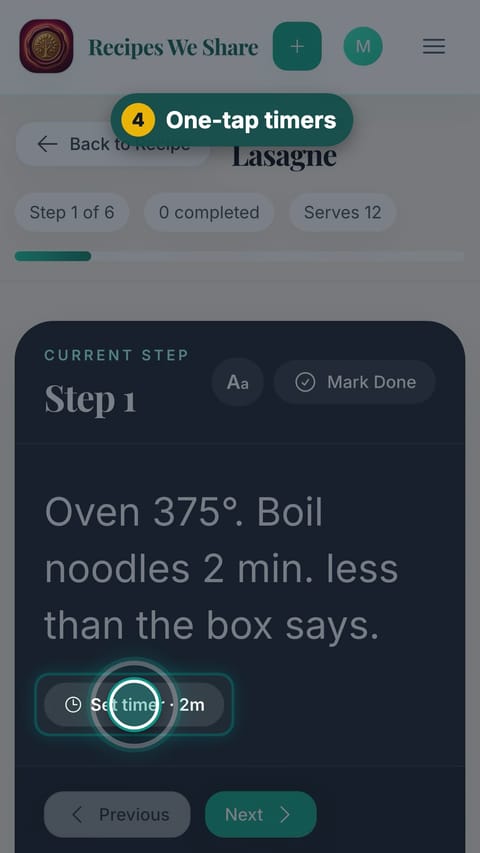
- Steps that mention a time offer a one-tap timer.
- Steps and ingredients can be checked off as you go.
Step by step
- 1
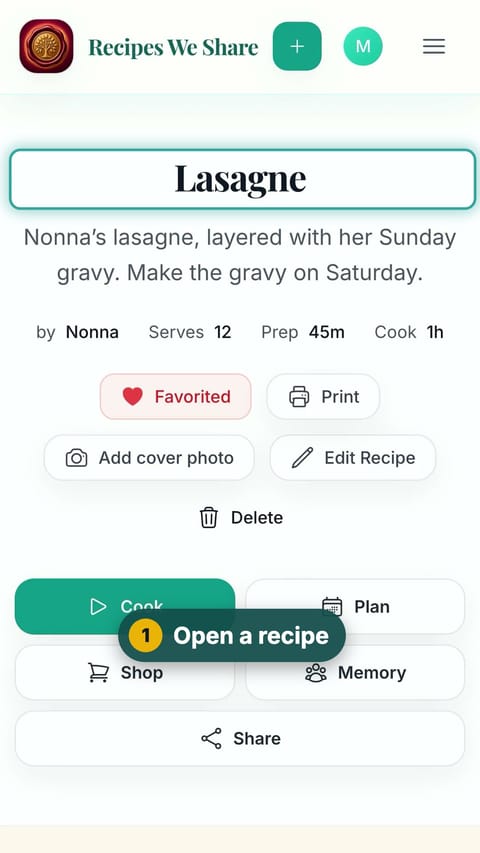
Open a recipe
Open the recipe you want to cook.
- 2
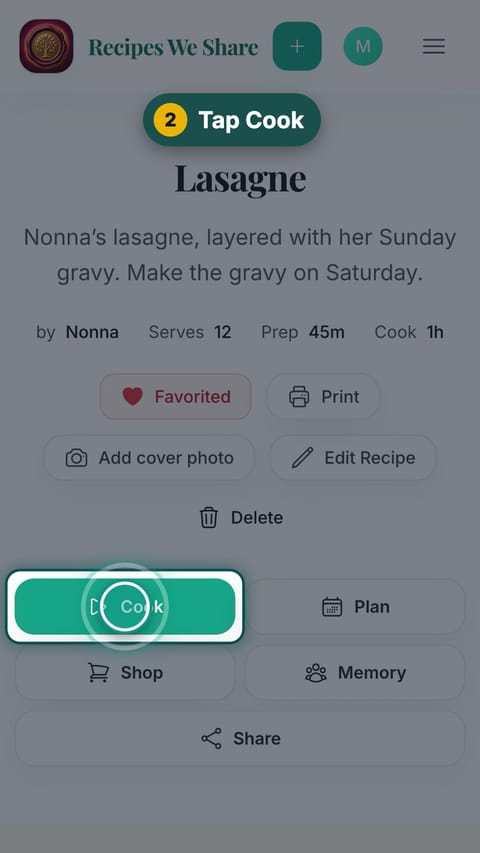
Tap Cook
Tap Cook to open cook mode.
- 3
One step at a time
Read the current step. Amounts are written right into it.
- 4
One-tap timers
Tap Set timer when a step mentions a time.
- 5
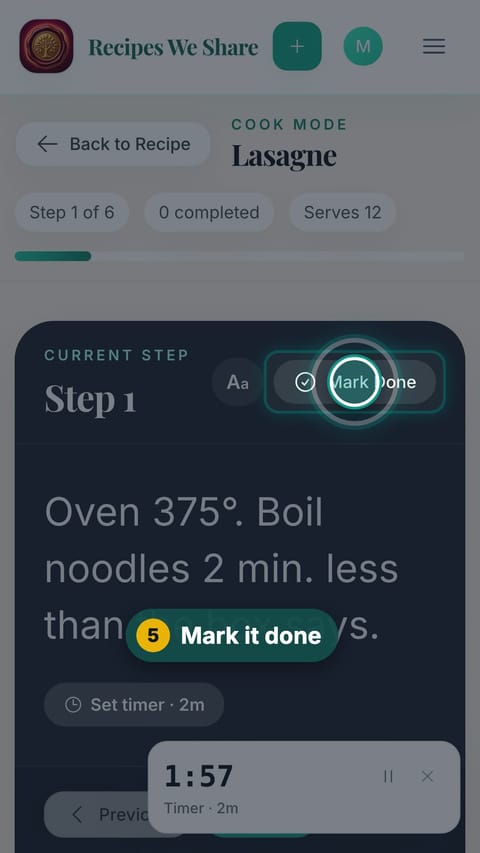
Mark it done
Tap Mark Done when you finish a step.
- 6
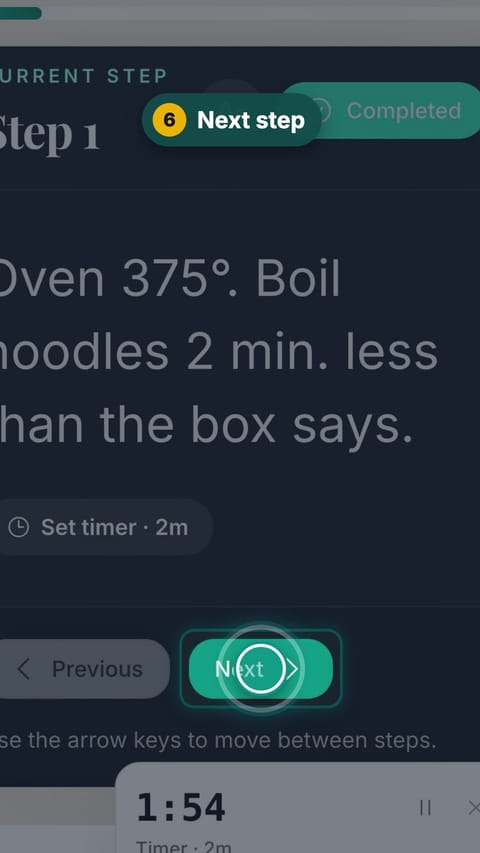
Next step
Tap Next to move on.
- 7
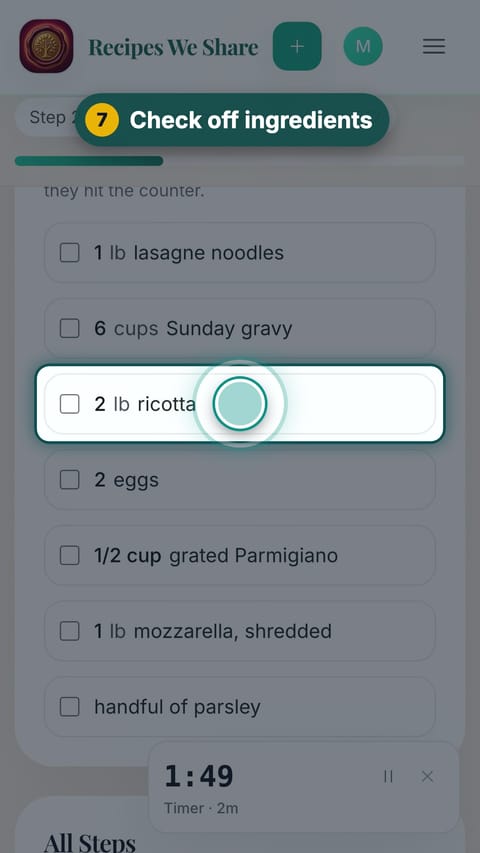
Check off ingredients
Tap ingredients to check them off as they hit the counter.
- 8
Done!
Mark the last step done to finish.
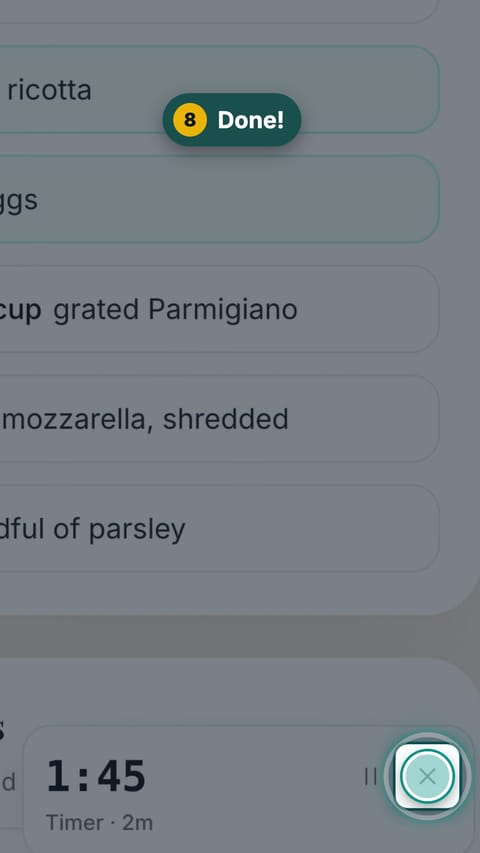
Every step is marked done and the app offers to save a photo of the finished dish.
More guides like this
Start your family cookbook
Save the recipes your family actually cooks, from anywhere, in one place.