Getting recipes in
Create a recipe with AI
Describe a dish, or what is in the fridge, and get a complete recipe draft to edit and save.
52 sec · no sound needed: every step is on screen
How it works
- Describe a dish, ingredients on hand, or a diet, and get a full recipe draft.
- The draft opens in the editor to change before saving.
- Imported, pasted and AI-built recipes start in your personal recipes; one tap adds them to the family cookbook.
Step by step
- 1
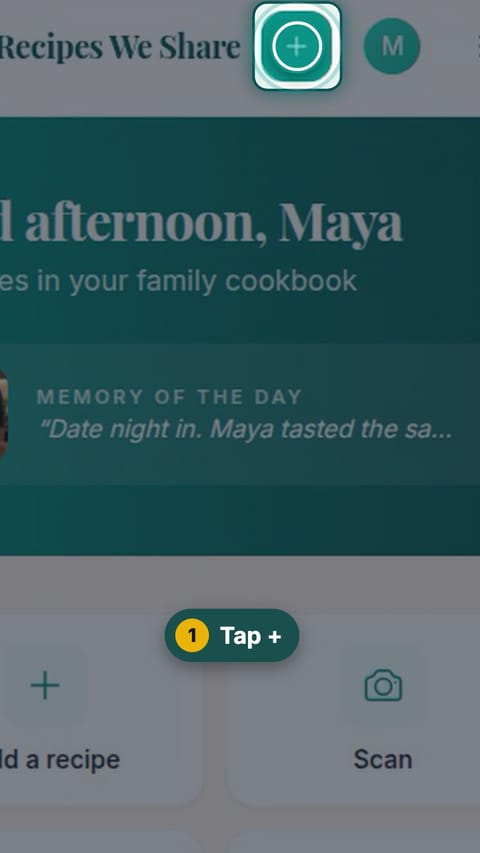
Tap +
Tap the + button at the top of the screen.
- 2
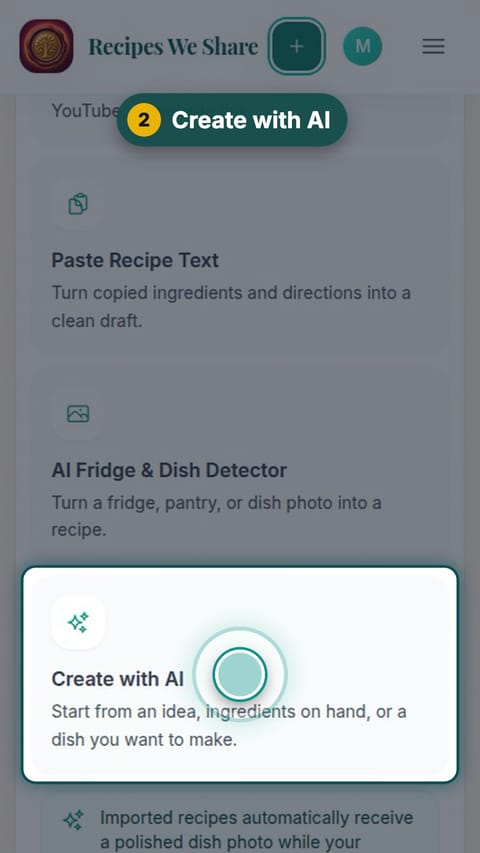
Create with AI
Tap Create with AI.
- 3
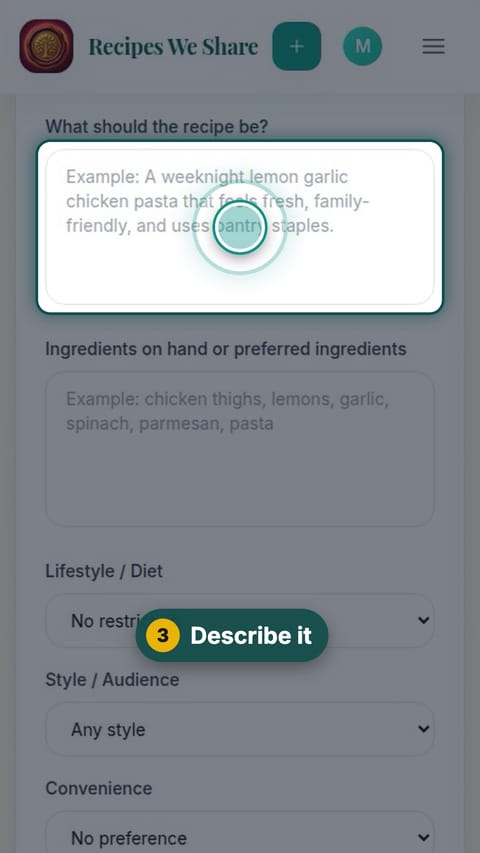
Describe it
Describe the recipe you want in a sentence.
- 4
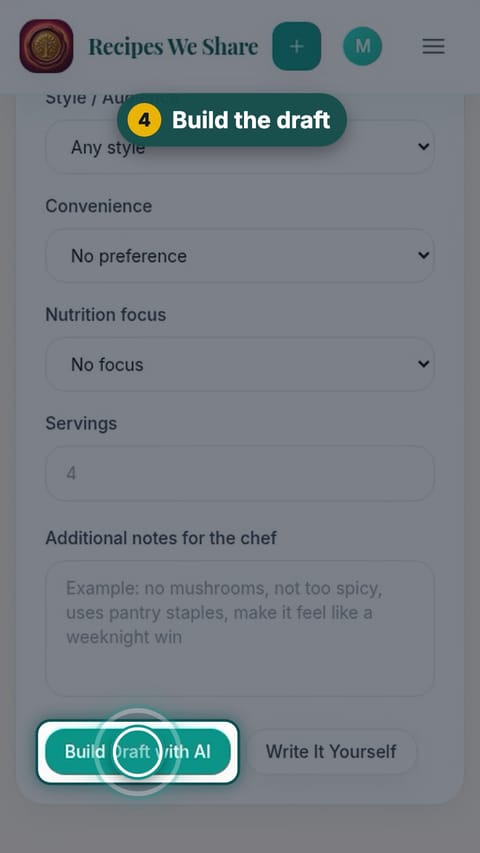
Build the draft
Scroll down and tap Build Draft with AI.
- 5
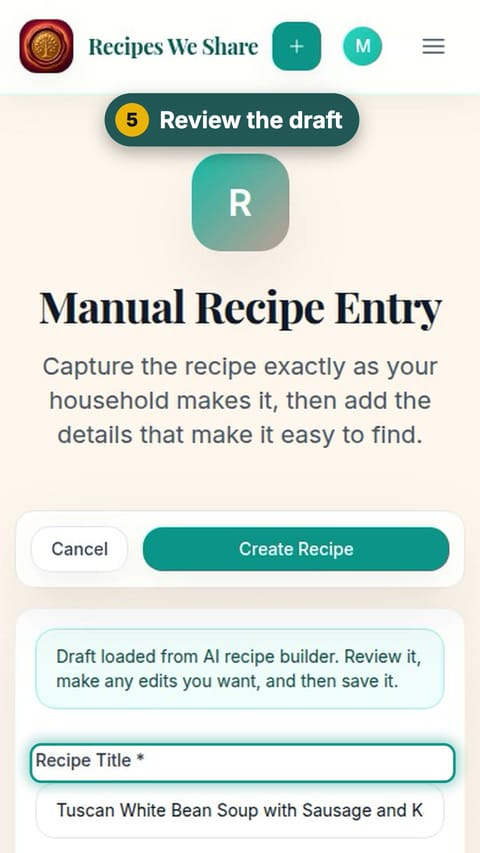
Review the draft
The recipe opens as a draft. Check the title, ingredients and steps, and change anything you like.
- 6
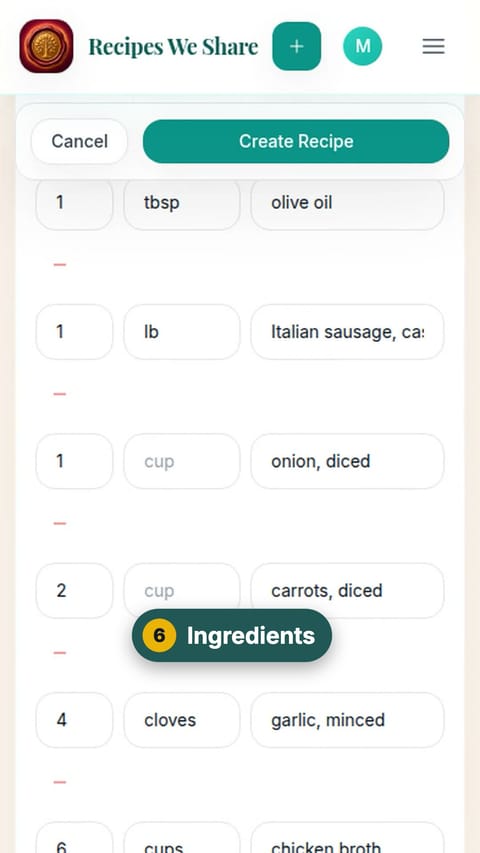
Ingredients
Scroll down to the ingredients. Each one is split into amount, unit and name.
- 7
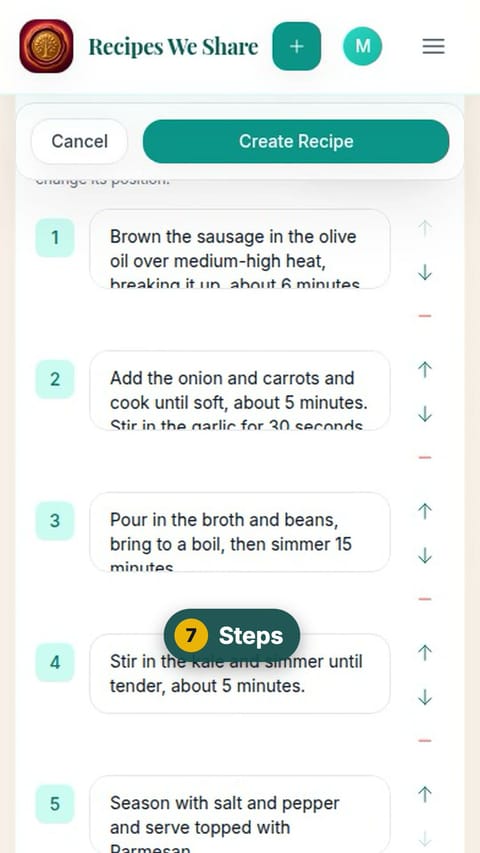
Steps
Keep scrolling to the numbered steps.
- 8
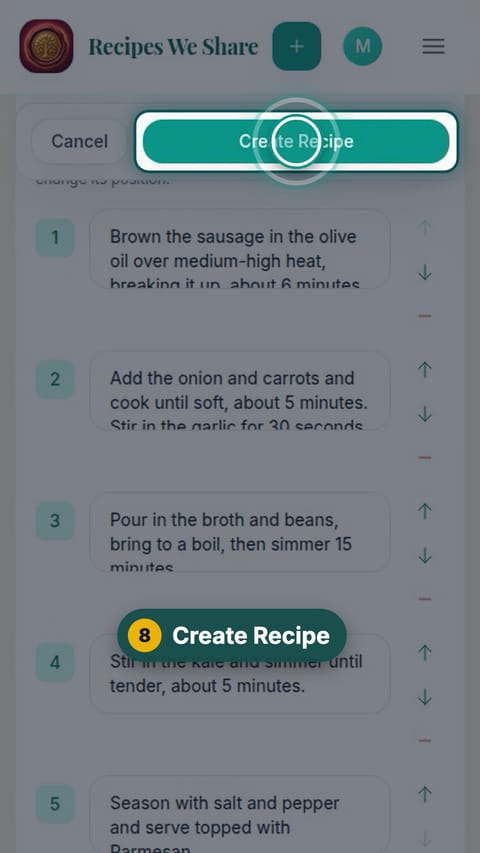
Create Recipe
Tap Create Recipe.
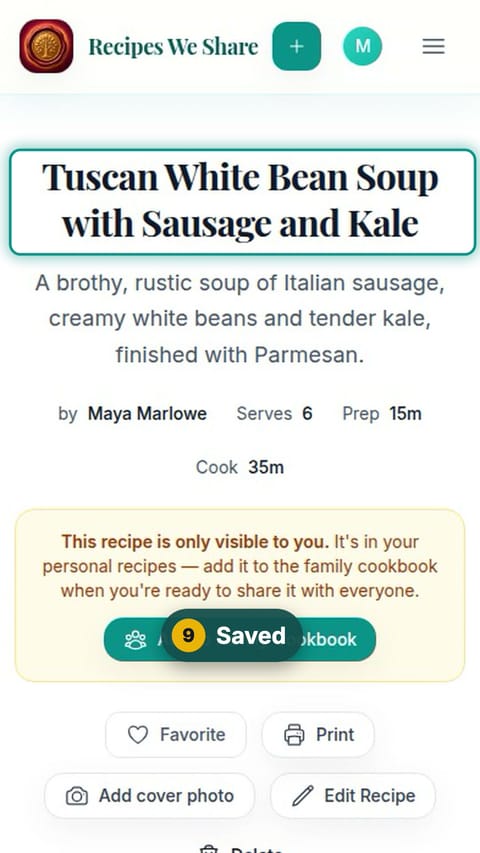
- 9
Saved
The recipe is saved to your personal recipes first.
- 10
Share with the family
Tap Add to Family Cookbook so the whole family can see it.
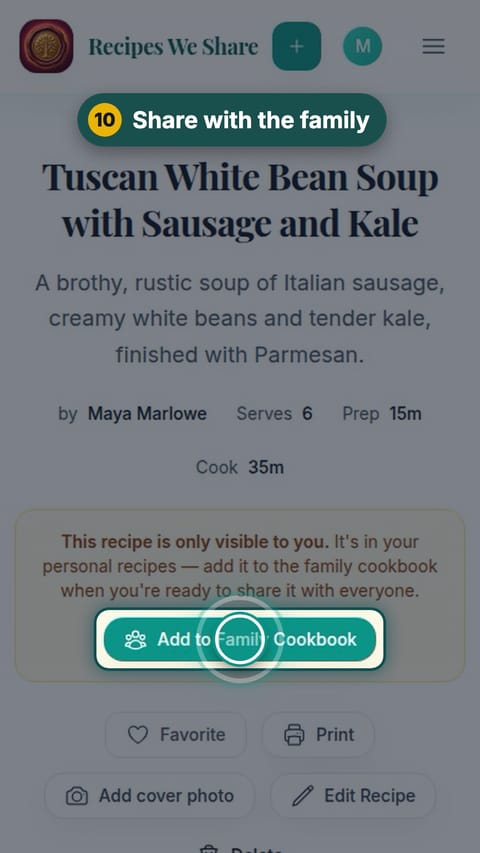
A Tuscan White Bean Soup recipe is saved and shared with the family.
More guides like this
Scan a handwritten recipe card
Photograph Nonna’s handwritten card and it becomes a typed recipe with ingredients and steps, credited to her and shared with the family.
Save a recipe from TikTok
Paste a TikTok link and the recipe in the video’s description becomes an editable recipe in your cookbook.
Import a recipe from a website
Paste a recipe blog’s link and get just the recipe: no life story, no pop-ups, no ads.
Paste a recipe someone texted you
Copy a recipe out of a text, email or note, paste it in, and it is sorted into title, ingredients and steps.
Start your family cookbook
Save the recipes your family actually cooks, from anywhere, in one place.