Getting recipes in
Scan a handwritten recipe card
Photograph Nonna’s handwritten card and it becomes a typed recipe with ingredients and steps, credited to her and shared with the family.
56 sec · no sound needed: every step is on screen
How it works
- Scan a photo of a handwritten card, cookbook page or PDF.
- The ingredients and steps are typed out for you to review and edit.
- The original photo of the card is kept with the recipe.
- A recipe can be credited to the relative it came from, even if they never use the app.
- A new scan starts private; add it to the family cookbook when it is ready.
Step by step
- 1
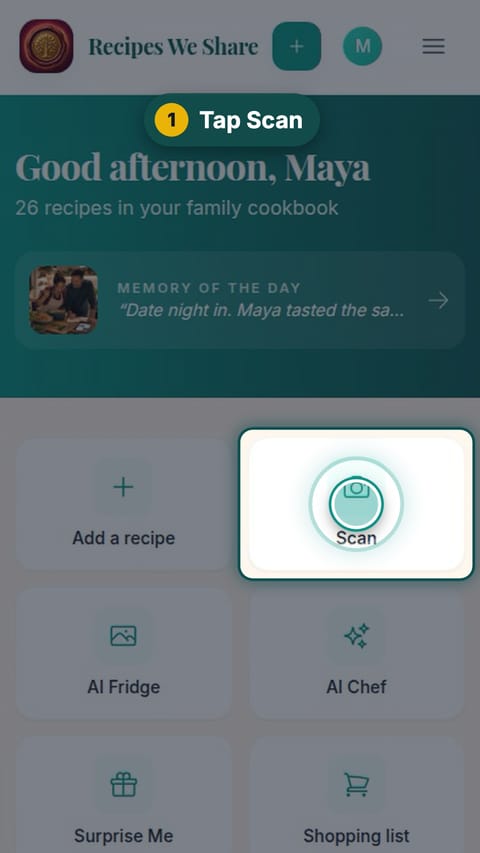
Tap Scan
On the home screen, tap Scan.
- 2
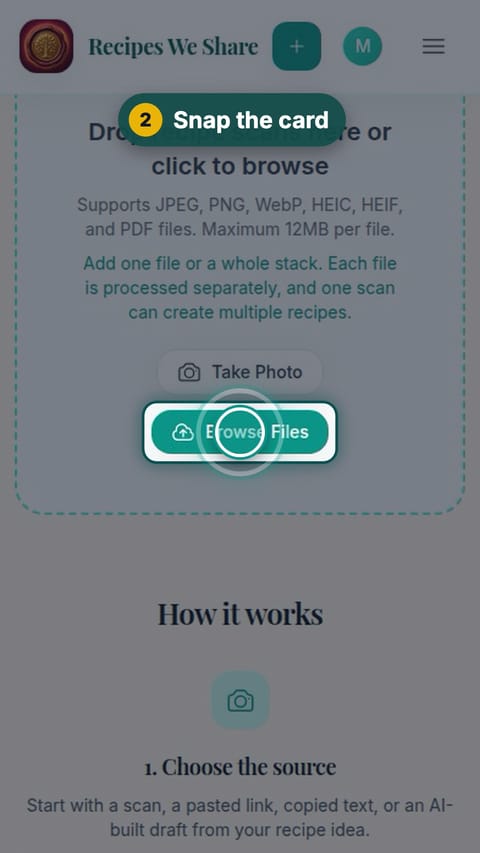
Snap the card
Tap Take Photo to photograph the card, or Browse Files to pick a photo you already took.
- 3
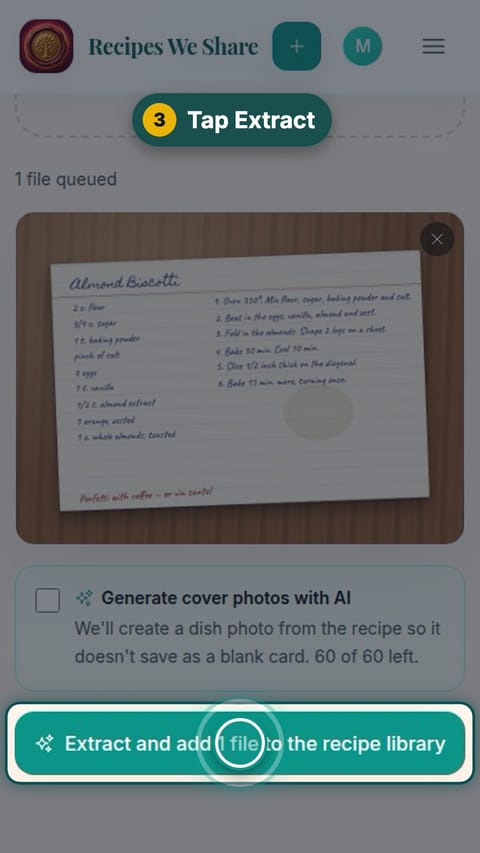
Tap Extract
Check the preview, then tap Extract and add to the recipe library.
- 4
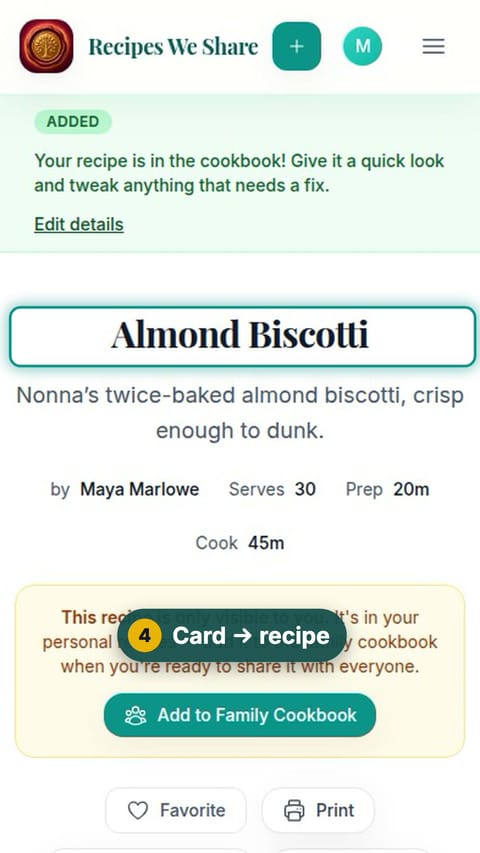
Card → recipe
The card is now a recipe. It starts private, visible only to you.
- 5
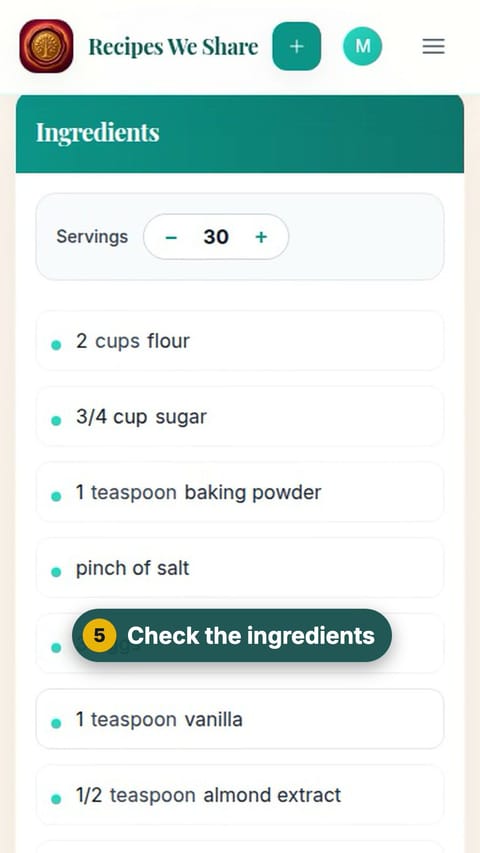
Check the ingredients
Scroll down and check the ingredients against the card.
- 6
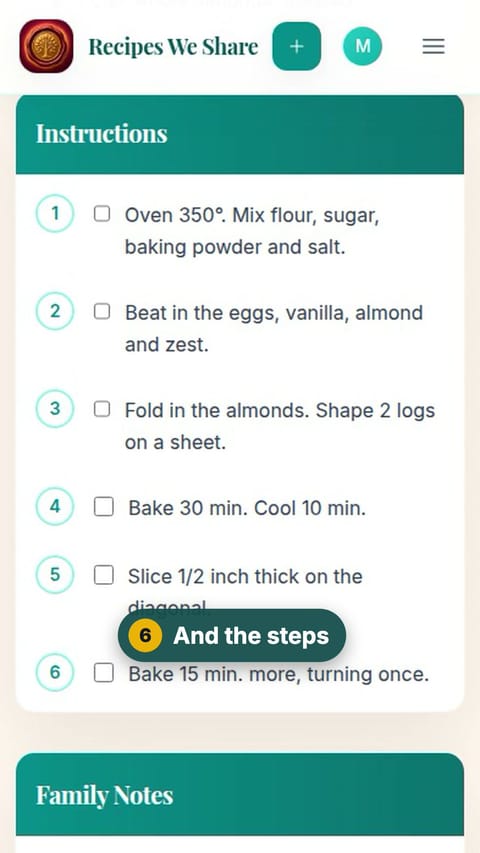
And the steps
Keep scrolling to check the steps. Tap Edit Recipe later to fix anything.
- 7
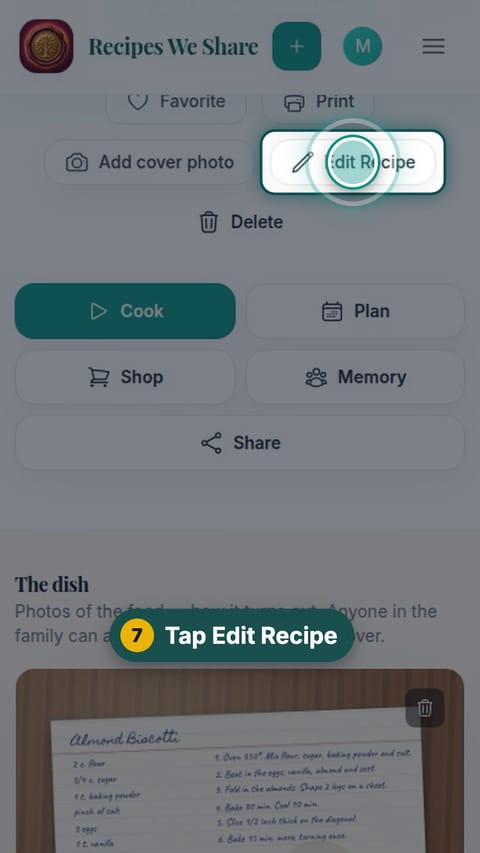
Tap Edit Recipe
Scroll back up and tap Edit Recipe.
- 8
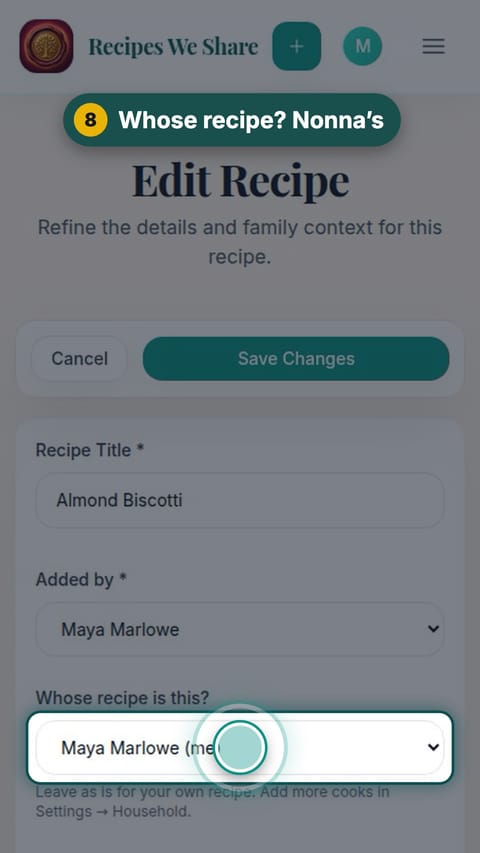
Whose recipe? Nonna’s
Under "Whose recipe is this?", choose Nonna.
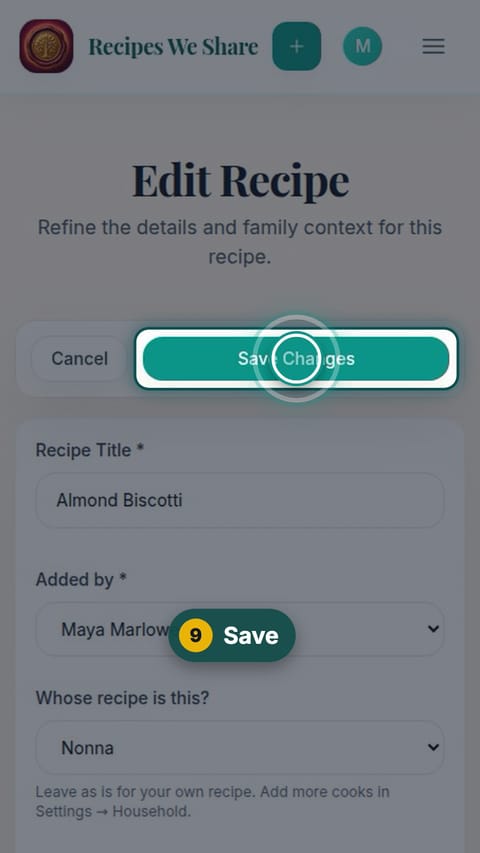
- 9
Save
Tap Save Changes.
- 10
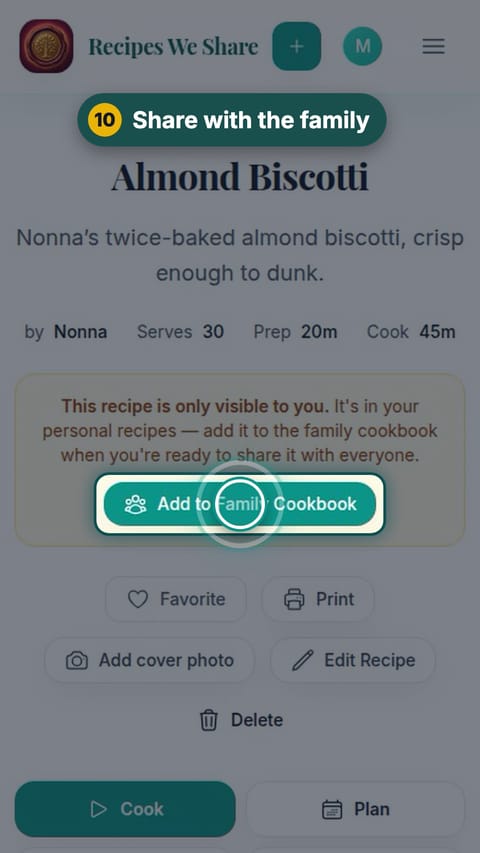
Share with the family
Tap Add to Family Cookbook so everyone in the family can see it.
- 11
Saved for good
Nonna’s recipe is now in the family cookbook for everyone.
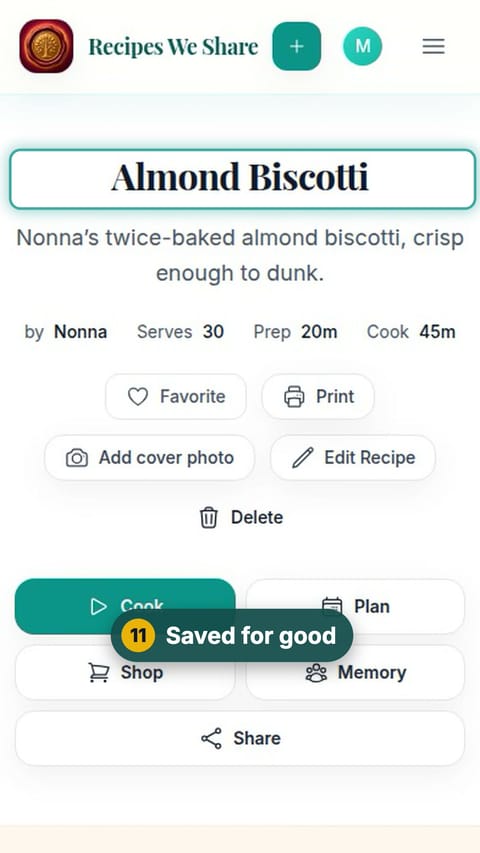
Nonna’s Almond Biscotti is in the family cookbook, credited to her, with the photo of her card kept alongside it.
More guides like this
Save a recipe from TikTok
Paste a TikTok link and the recipe in the video’s description becomes an editable recipe in your cookbook.
Import a recipe from a website
Paste a recipe blog’s link and get just the recipe: no life story, no pop-ups, no ads.
Paste a recipe someone texted you
Copy a recipe out of a text, email or note, paste it in, and it is sorted into title, ingredients and steps.
Type a recipe in by hand
Type a recipe straight in: title, category, ingredients and steps. Hand-typed recipes go straight into the family cookbook.
Start your family cookbook
Save the recipes your family actually cooks, from anywhere, in one place.