Getting recipes in
Paste a recipe someone texted you
Copy a recipe out of a text, email or note, paste it in, and it is sorted into title, ingredients and steps.
54 sec · no sound needed: every step is on screen
How it works
- Paste recipe text from a message, email, note or caption.
- The title, ingredients, steps and servings are sorted out for you.
- Imported, pasted and AI-built recipes start in your personal recipes; one tap adds them to the family cookbook.
Step by step
- 1
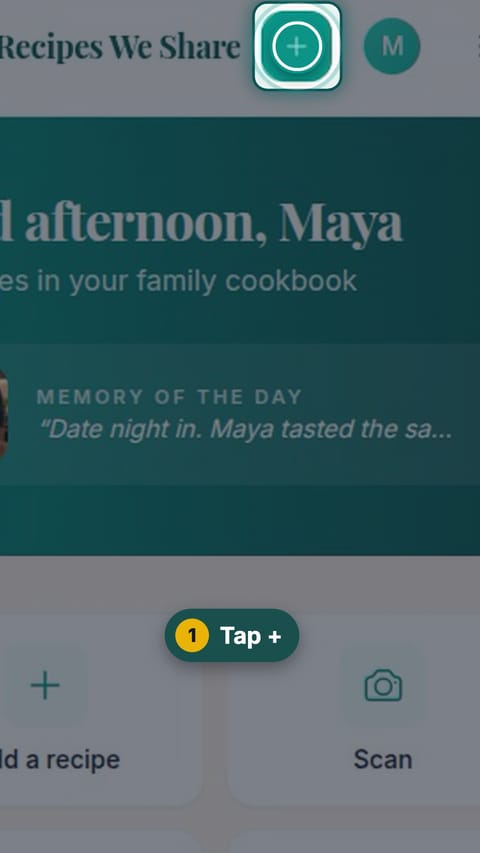
Tap +
Tap the + button at the top of the screen.
- 2
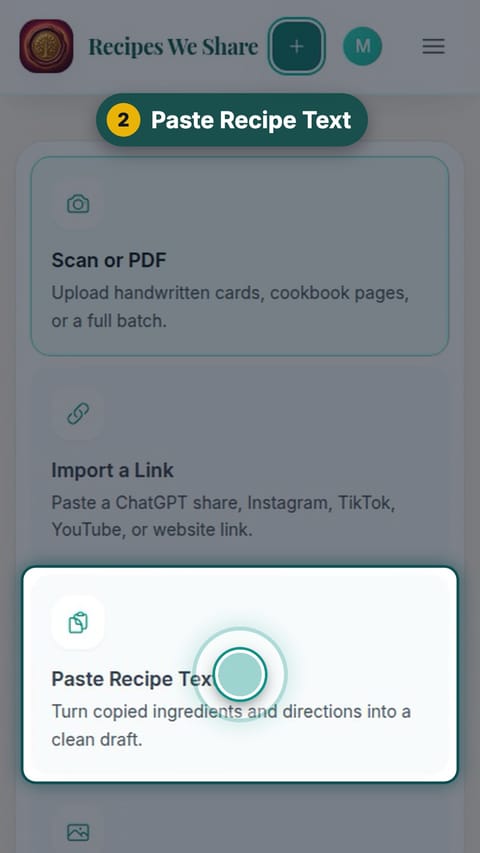
Paste Recipe Text
Tap Paste Recipe Text.
- 3
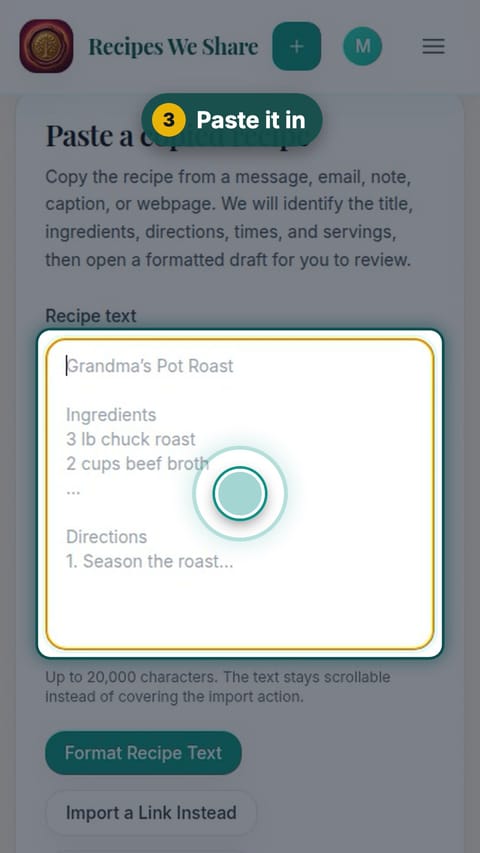
Paste it in
Paste the whole recipe into the box.
- 4
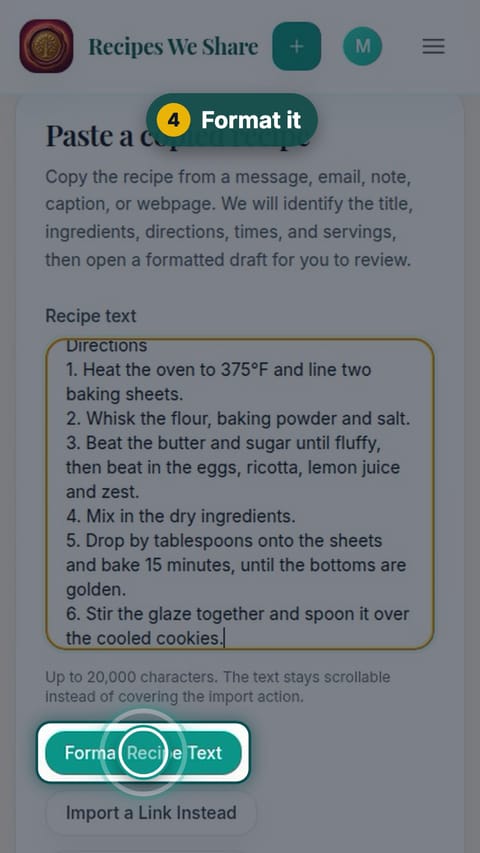
Format it
Tap Format Recipe Text.
- 5
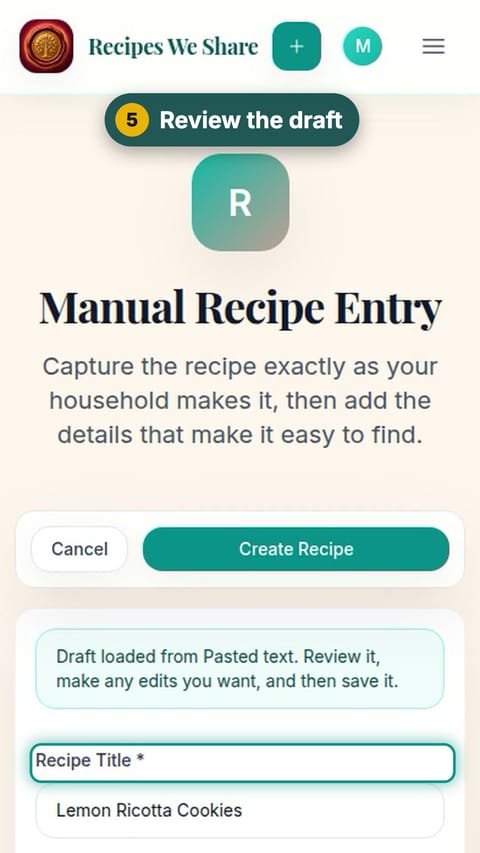
Review the draft
The recipe opens as a draft. Check the title, ingredients and steps, and change anything you like.
- 6
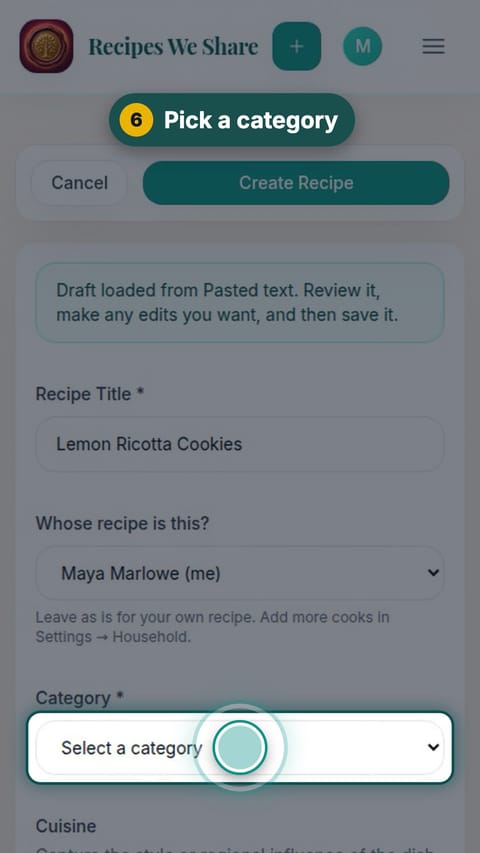
Pick a category
Choose a category (here, Desserts).
- 7
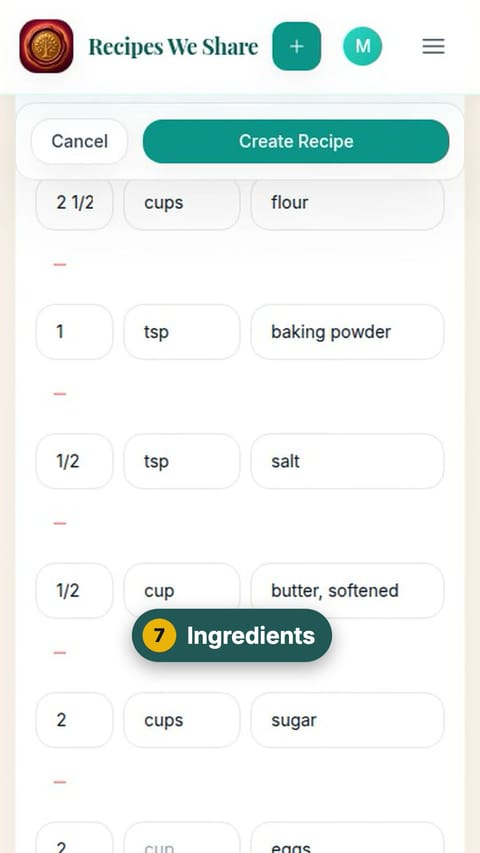
Ingredients
Scroll down to the ingredients. Each one is split into amount, unit and name.
- 8
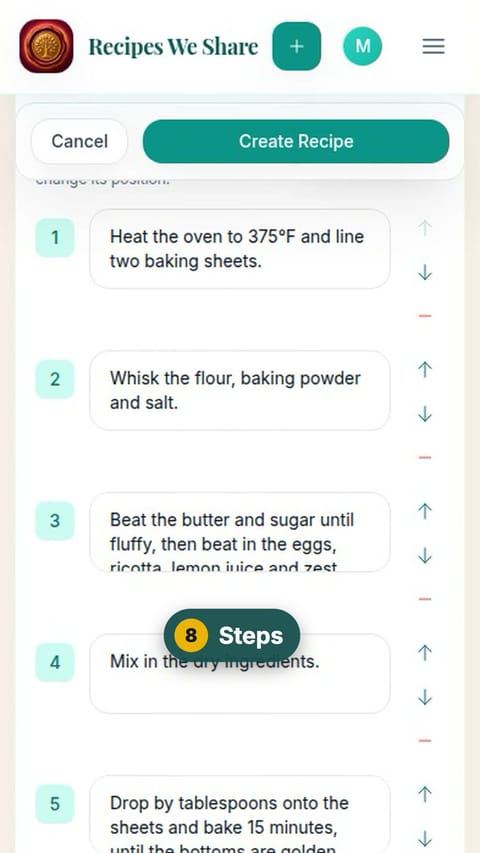
Steps
Keep scrolling to the numbered steps.
- 9
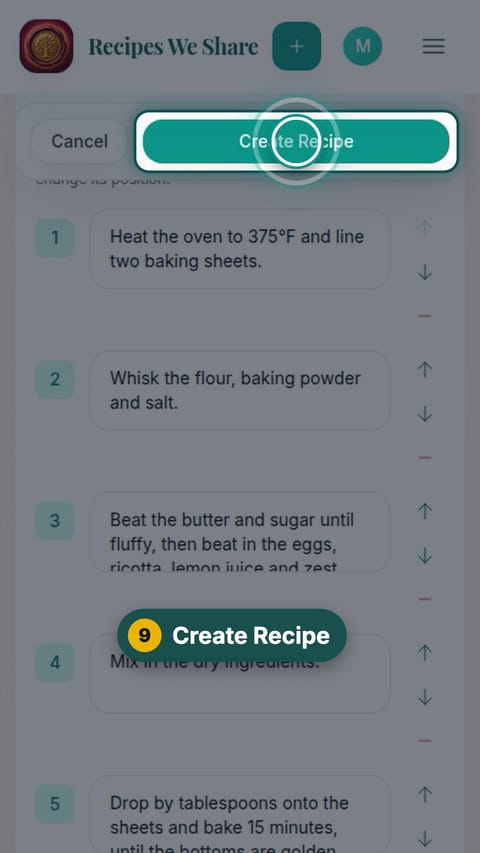
Create Recipe
Tap Create Recipe.
- 10
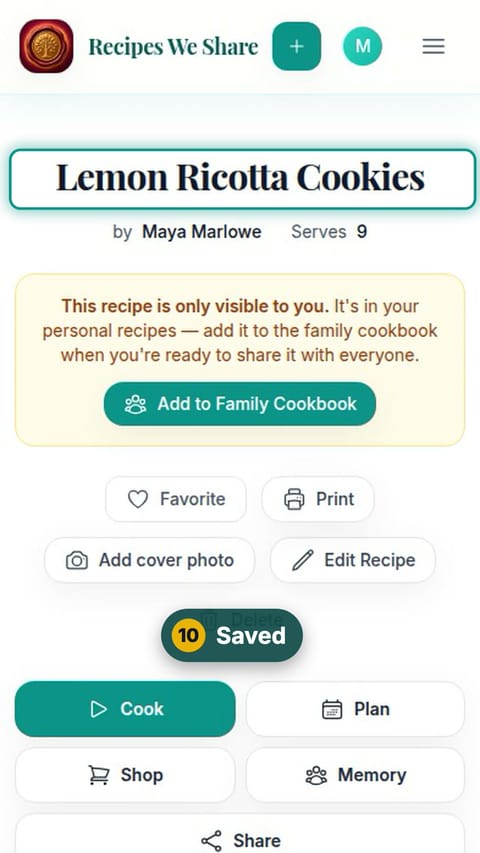
Saved
The recipe is saved to your personal recipes first.
- 11
Share with the family
Tap Add to Family Cookbook so the whole family can see it.
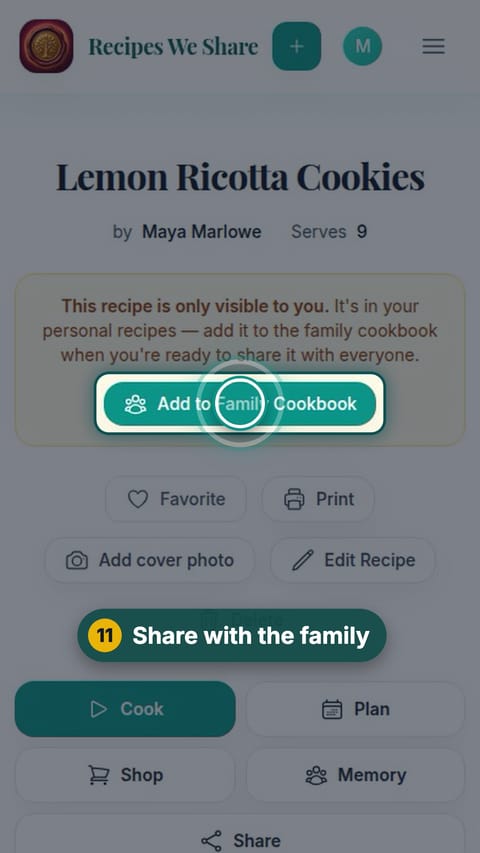
Lemon Ricotta Cookies is a formatted recipe in the family cookbook.
More guides like this
Scan a handwritten recipe card
Photograph Nonna’s handwritten card and it becomes a typed recipe with ingredients and steps, credited to her and shared with the family.
Save a recipe from TikTok
Paste a TikTok link and the recipe in the video’s description becomes an editable recipe in your cookbook.
Import a recipe from a website
Paste a recipe blog’s link and get just the recipe: no life story, no pop-ups, no ads.
Type a recipe in by hand
Type a recipe straight in: title, category, ingredients and steps. Hand-typed recipes go straight into the family cookbook.
Start your family cookbook
Save the recipes your family actually cooks, from anywhere, in one place.