Family and memories
Leave a note on a recipe
Family Notes keep everyone’s tips, swaps and tweaks on the recipe itself.
25 sec · no sound needed: every step is on screen
How it works
- Family members can leave notes on any recipe: tips, swaps and variations.
Step by step
- 1
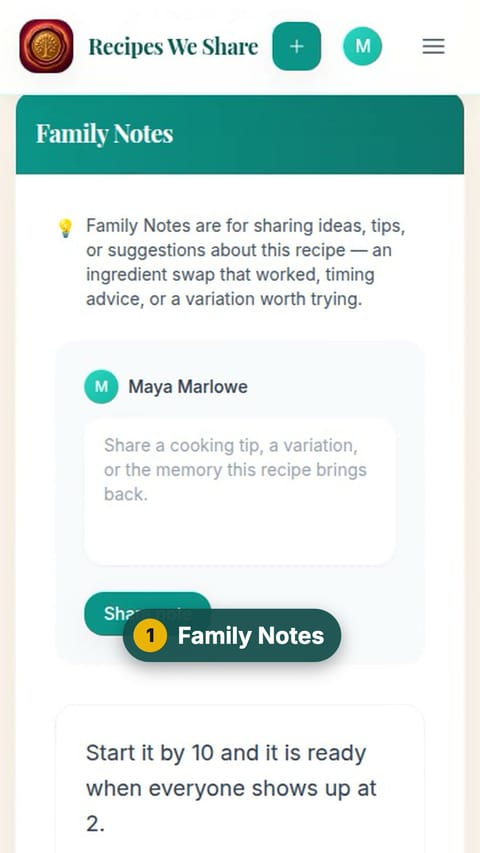
Family Notes
On the recipe, scroll down to Family Notes.
- 2
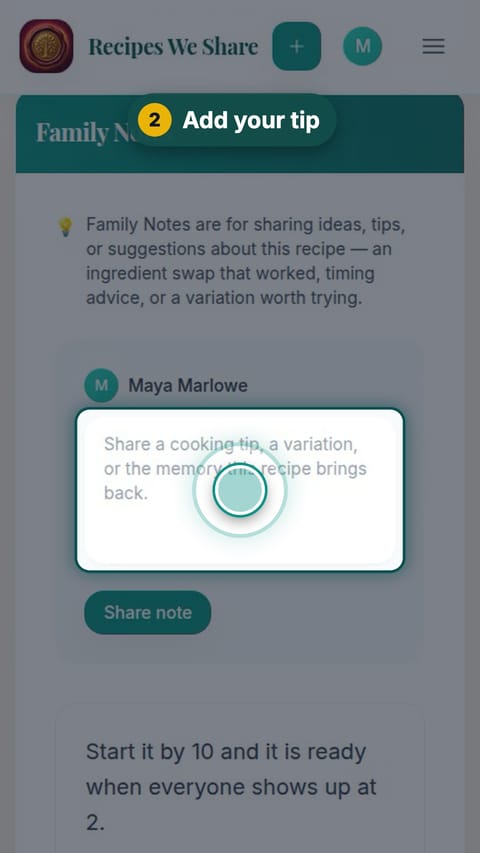
Add your tip
Type your tip in the note box.
- 3
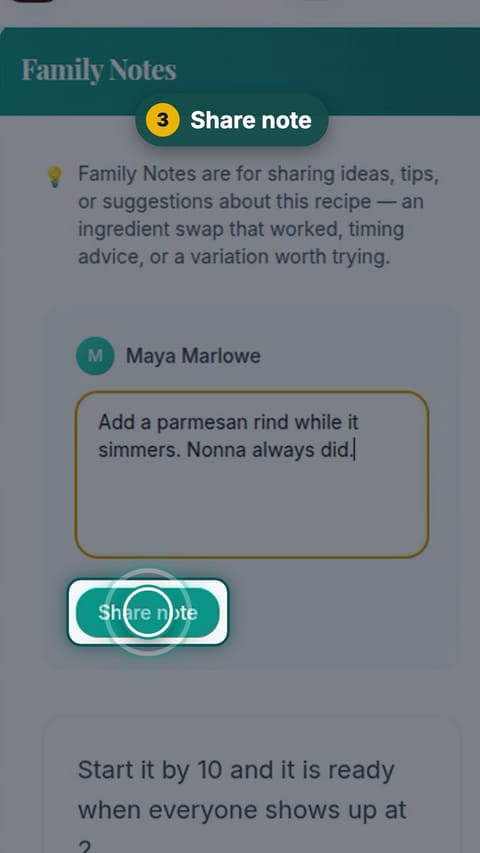
Share note
Tap Share note.
- 4
Saved on the recipe
Your note joins the family’s other notes on the recipe.
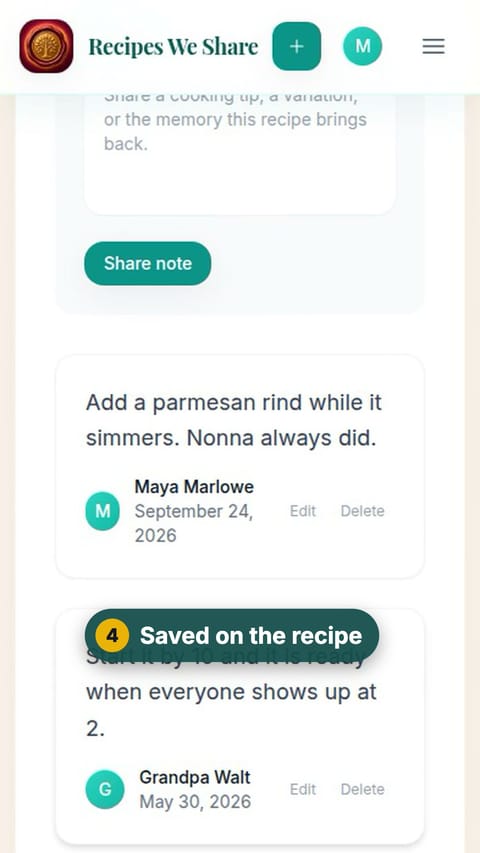
Maya’s tip sits with the family’s other notes on the recipe.
More guides like this
Invite the family
Invite family members by email or with a link you text them, and they join the same cookbook.
Add a memory to a recipe
Attach a photo and the story behind it to a recipe, so the people and moments stay with the food.
Share a recipe with anyone
Make a link to one recipe and send it to anyone; they see the recipe without needing an account.
Start your family cookbook
Save the recipes your family actually cooks, from anywhere, in one place.