Family and memories
Invite the family
Invite family members by email or with a link you text them, and they join the same cookbook.
30 sec · no sound needed: every step is on screen
How it works
- Invite family members by email, or copy an invite link to text them.
- Everyone who joins shares the same cookbook, meal plans and shopping list.
Step by step
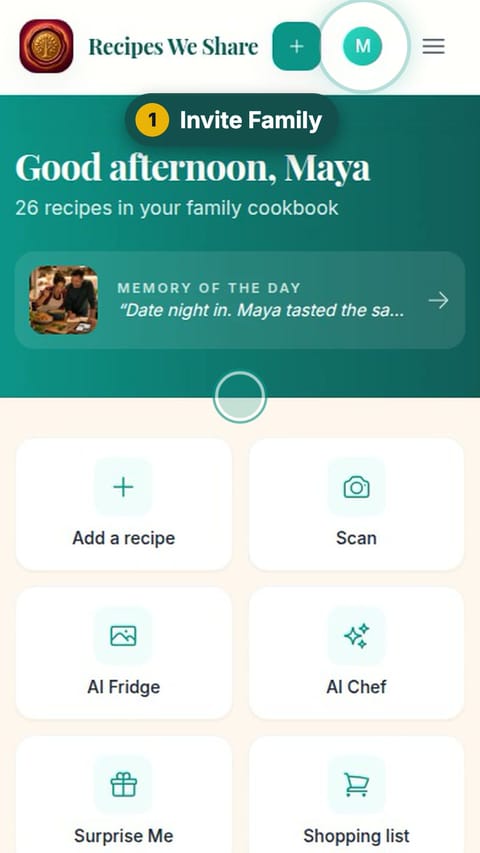
- 1
Invite Family
Tap your picture at the top, then Invite Family.
- 2
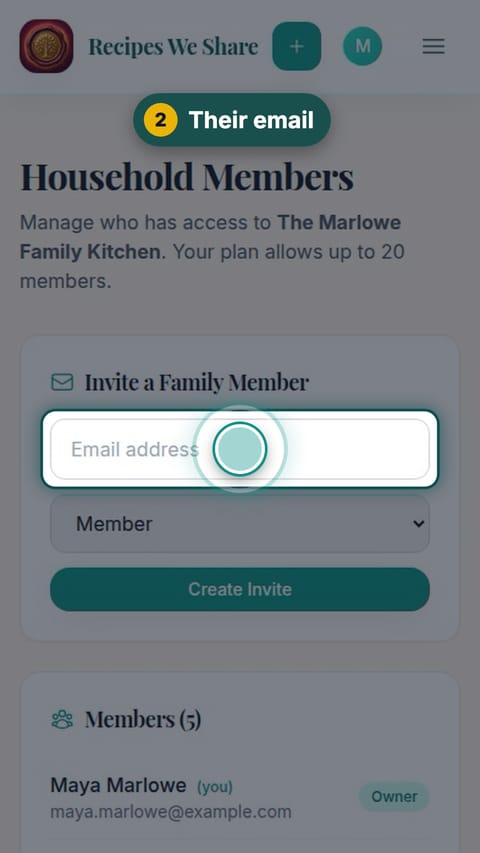
Their email
Type the family member’s email address.
- 3
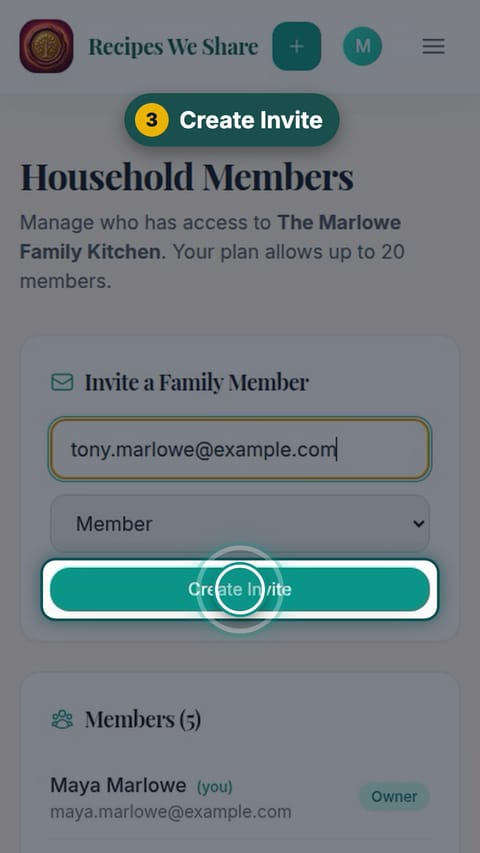
Create Invite
Tap Create Invite.
- 4
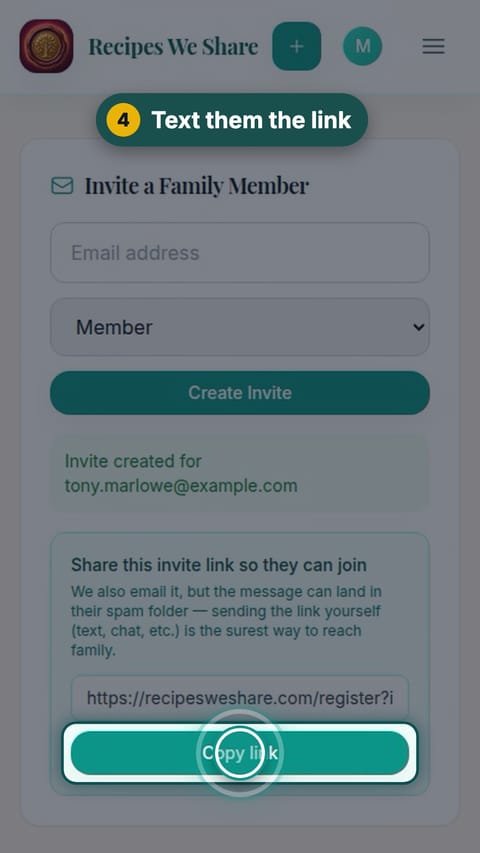
Text them the link
Tap Copy link and text it to them. It is emailed too.
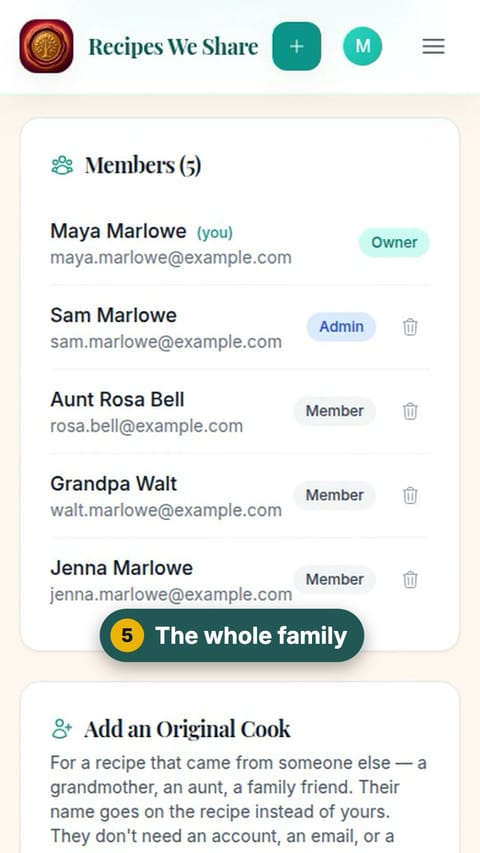
- 5
The whole family
Everyone in the household is listed below.
An invite link for Uncle Tony is ready to text him.
More guides like this
Add a memory to a recipe
Attach a photo and the story behind it to a recipe, so the people and moments stay with the food.
Leave a note on a recipe
Family Notes keep everyone’s tips, swaps and tweaks on the recipe itself.
Share a recipe with anyone
Make a link to one recipe and send it to anyone; they see the recipe without needing an account.
Start your family cookbook
Save the recipes your family actually cooks, from anywhere, in one place.