Photos and videos
Add a video to a recipe
Paste a YouTube, Vimeo or TikTok link onto a recipe. It shows as a picture on the recipe and plays right there when someone taps it.
39 sec · no sound needed: every step is on screen
How it works
- Anyone in the family can add a YouTube, Vimeo or TikTok link to a recipe.
- The video shows as a picture on the recipe and plays there when tapped.
- Nothing is sent to the video site until someone presses play.
Step by step
- 1
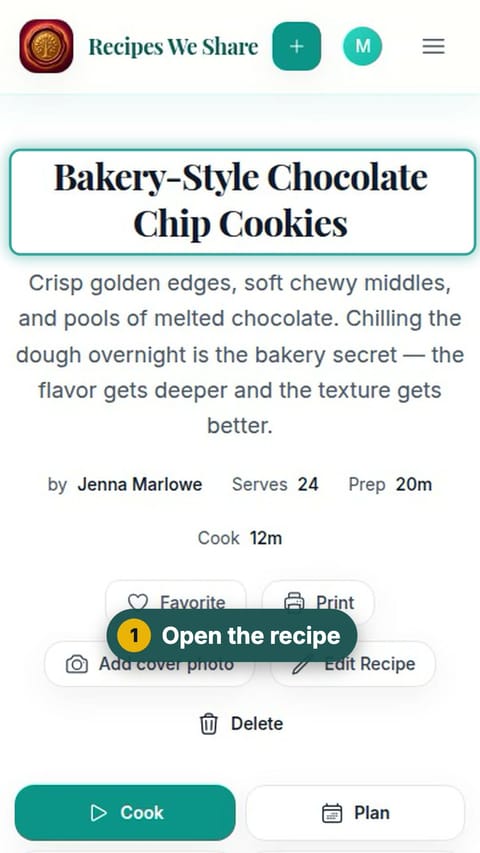
Open the recipe
Open the recipe the video goes with.
- 2
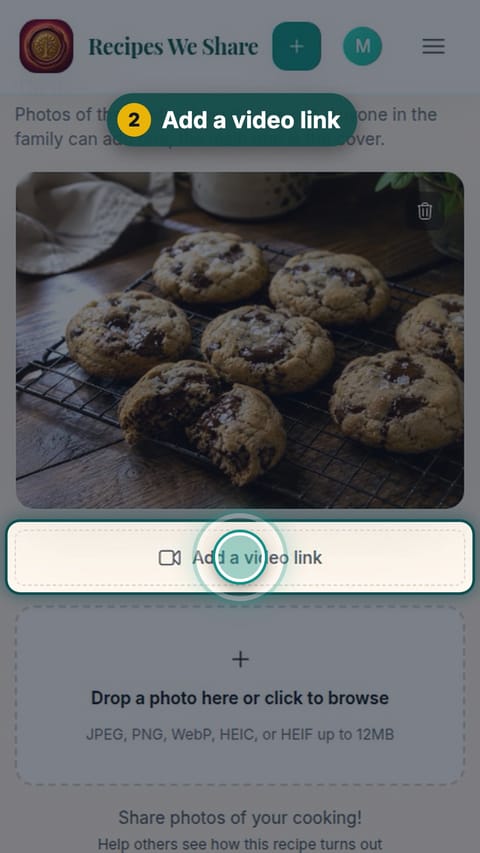
Add a video link
Scroll to the photos and tap Add a video link.
- 3
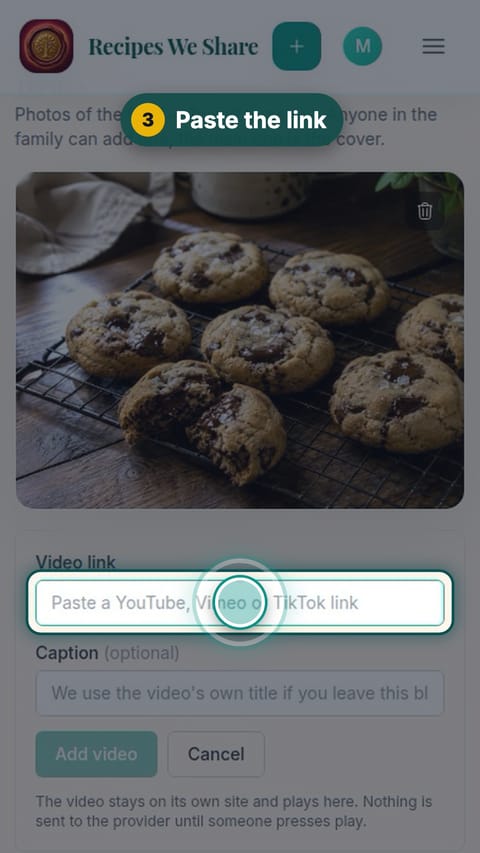
Paste the link
Paste the video’s link. The caption is optional; leave it blank to use the video’s own title.
- 4
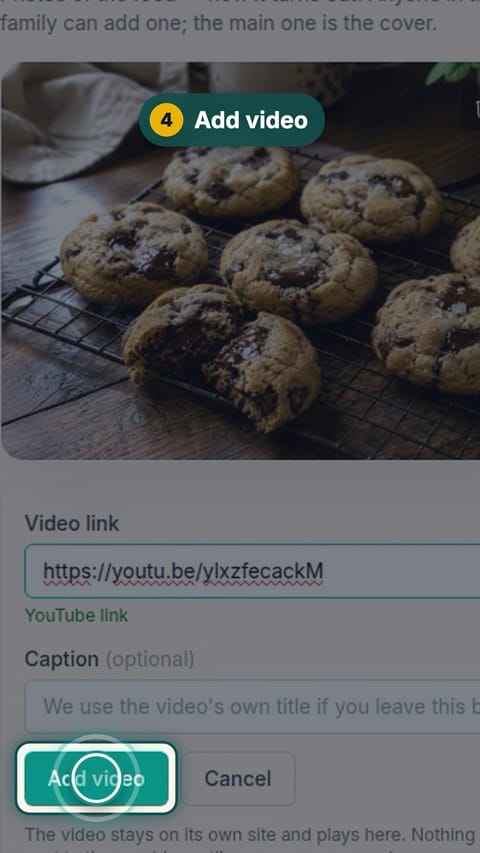
Add video
Tap Add video.
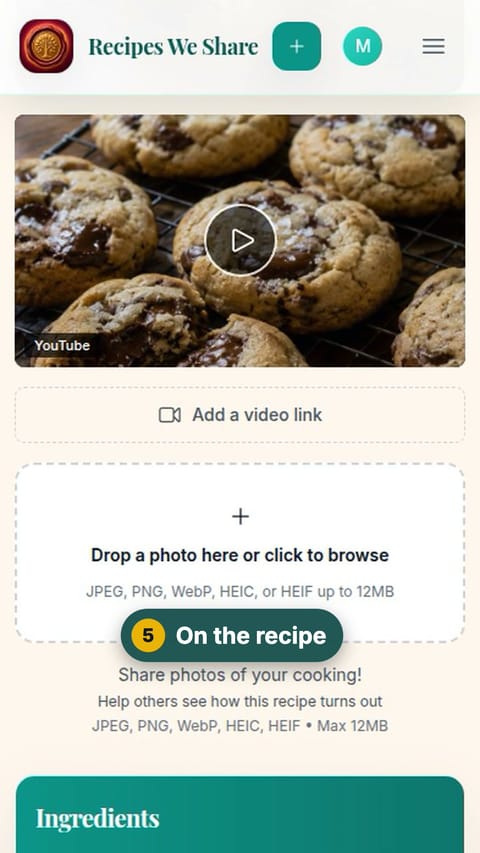
- 5
On the recipe
The video appears on the recipe with its picture and title.
- 6
Watch it here
Tap the video to play it without leaving the recipe.
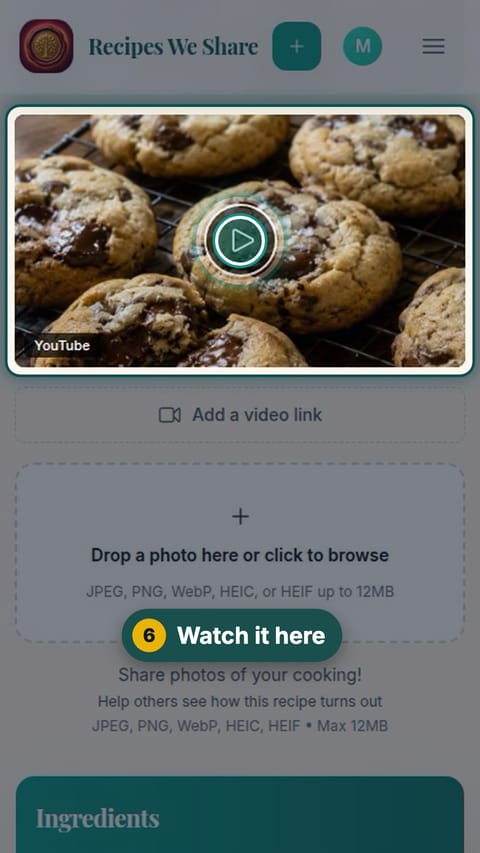
The YouTube video is on the recipe, with its picture and title, and plays on the recipe page.
Start your family cookbook
Save the recipes your family actually cooks, from anywhere, in one place.