Photos and videos
Add a photo of the dish
Add your own photo of how a recipe turned out, with a caption, and make it the recipe’s main photo.
38 sec · no sound needed: every step is on screen
How it works
- Anyone in the family can add photos of how a recipe turned out, with a caption.
- Any photo can be made the recipe’s main photo.
Step by step
- 1
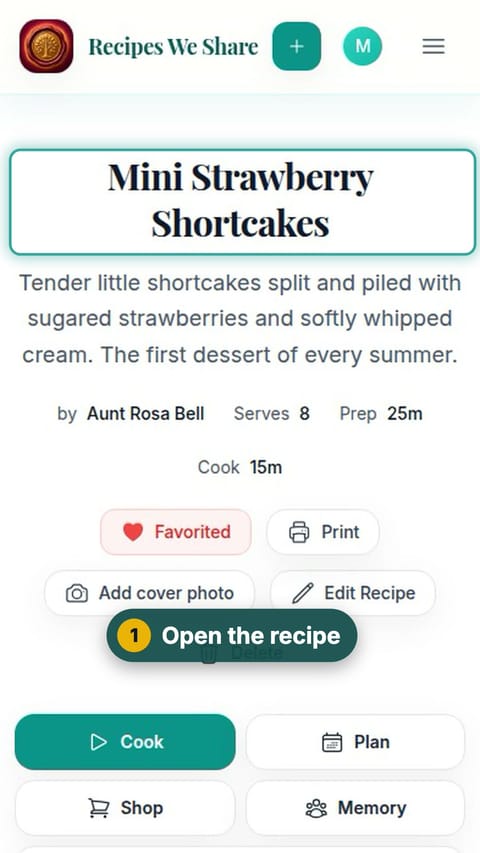
Open the recipe
Open the recipe you made.
- 2
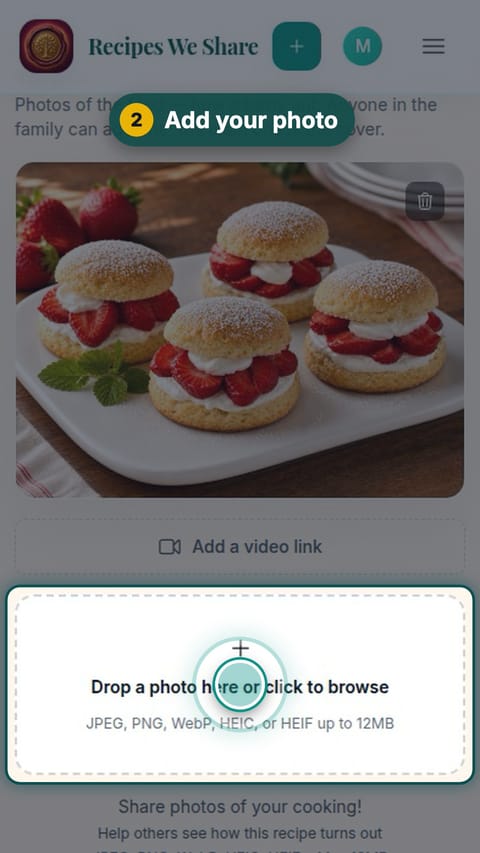
Add your photo
Scroll to the photos and tap "Drop a photo here or click to browse", then pick your photo.
- 3
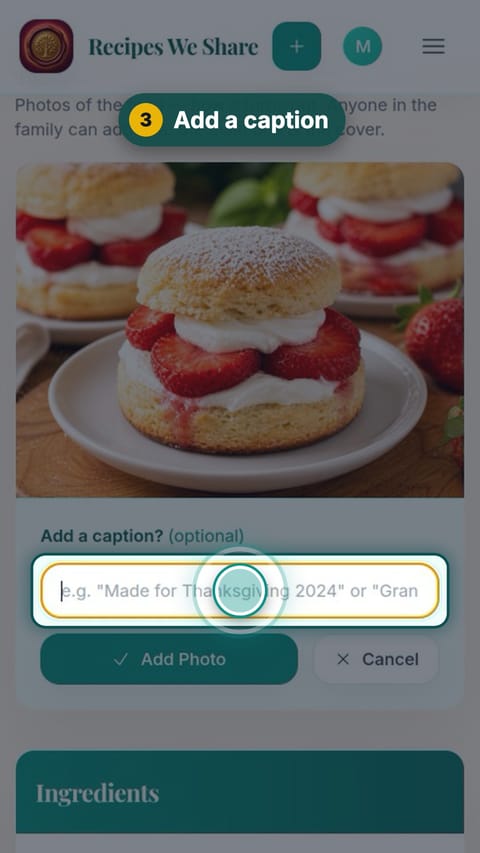
Add a caption
Add a caption if you like. It is optional.
- 4
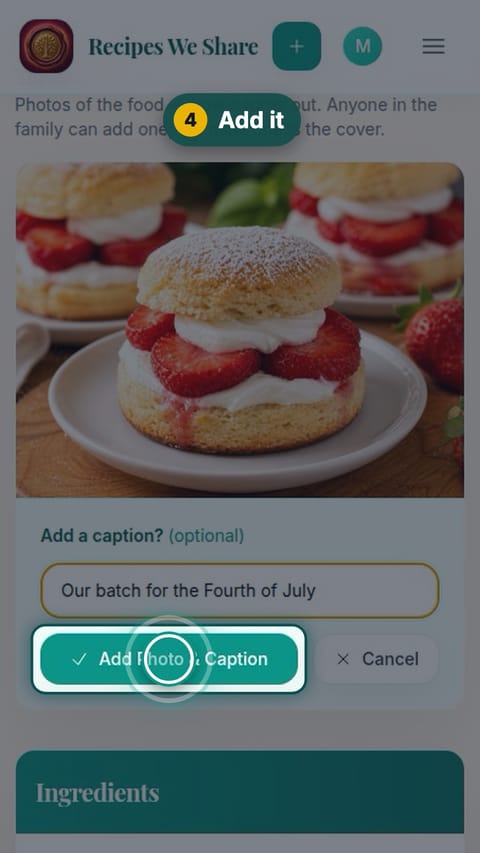
Add it
Tap Add Photo & Caption.
- 5
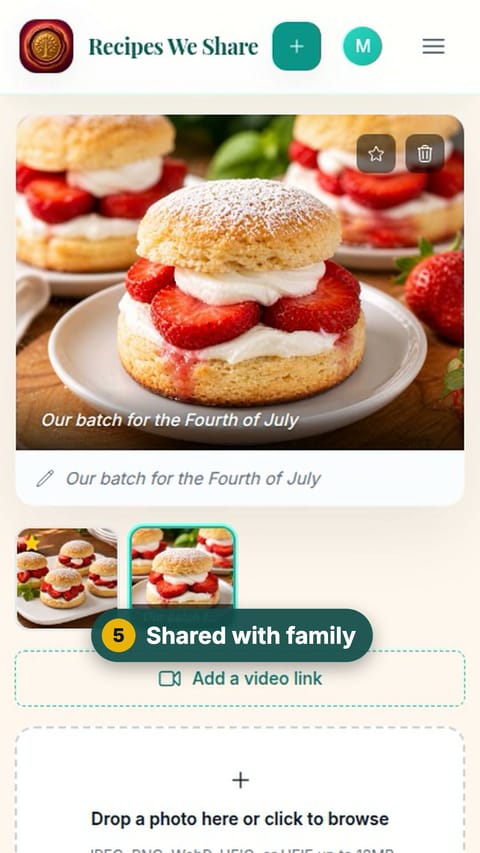
Shared with family
Your photo joins the recipe’s photos for the whole family.
- 6
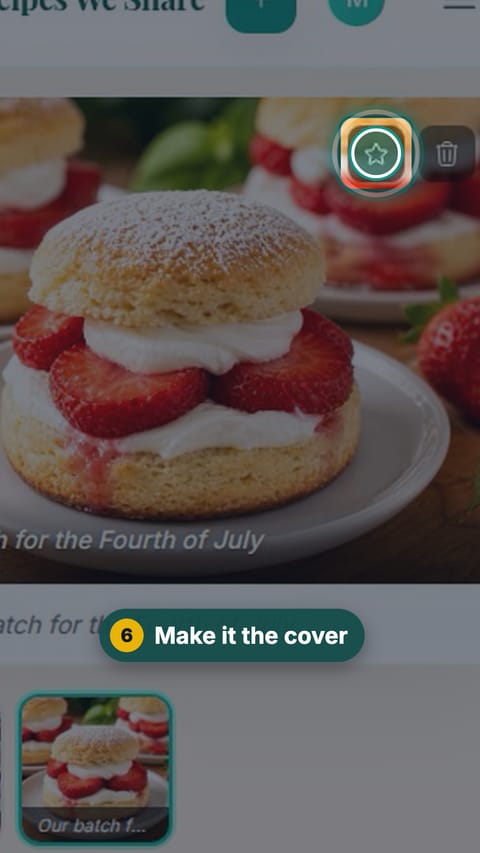
Make it the cover
Tap the star on a photo to make it the recipe’s main photo.
- 7
The new cover
The starred photo is now the recipe’s main photo, in the cookbook and everywhere the recipe appears.
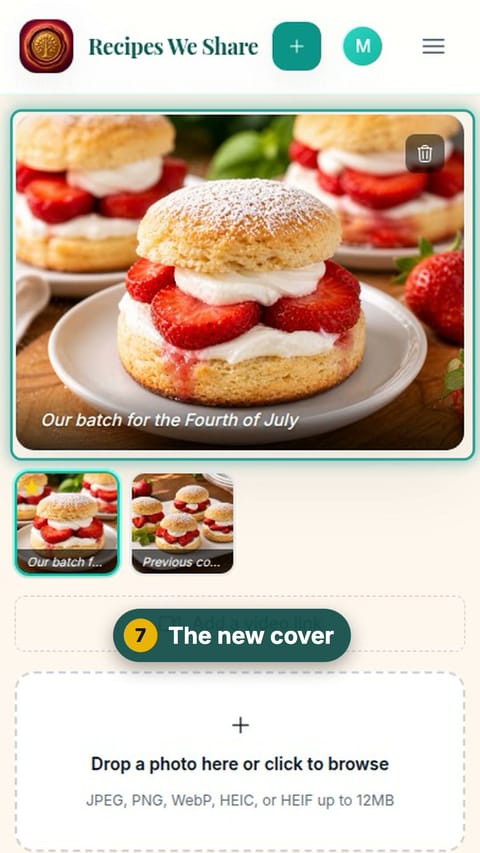
Maya’s photo is on the recipe with its caption and is now the main photo.
Start your family cookbook
Save the recipes your family actually cooks, from anywhere, in one place.