How to Turn Texted Recipes Into a Real Family Cookbook
A workflow for rescuing recipes from texts, screenshots, and group chats and turning them into structured family cookbook entries.
Best starting point
Create one shared cookbook first, then decide how each household should contribute.
The app gives every family member a place to add recipes, preserve source photos, comment with local variations, and find the same trusted version later.
In Recipes We Share
- Create the household cookbook and invite contributors.
- Add texted recipes, screenshots, and family versions as structured entries.
- Use comments and memories for local variations instead of duplicate chaos.
What this guide helps you decide
- How to avoid competing recipe versions.
- How to handle ownership and edits.
- How to make the archive usable across households.
Modern family recipes do not always arrive on recipe cards. They arrive in text threads, screenshots, group chats, and rushed replies like "I think it was 350 for about 40 minutes."
Those messages are valuable, but they are fragile. Phones change, threads get buried, screenshots disappear, and nobody remembers which cousin sent the corrected version. Recipes We Share gives those texted recipes a permanent home: clean recipe fields, source notes, family comments, and shared access.
The goal is not to preserve the messy thread forever. The goal is to rescue the recipe from it.
Treat every texted recipe as raw material
Texts are usually incomplete. They may skip timing, yield, pan size, or exact ingredient amounts because the sender assumed the recipient already knew the context.
Before adding the recipe, collect:
- the full message thread or screenshot
- any follow-up correction
- the sender's name
- the date if it matters
- photos of the finished dish if available
This gives you enough context to build a better recipe record.
Turn the message into a clean recipe card
In Recipes We Share, enter or paste the recipe into a structured format:
- title
- ingredients
- steps
- prep and cook time
- servings
- source person
- notes
Keep the family voice where it helps, but do not force future cooks to decode a casual text thread. "Cook it until it looks right" may belong in notes; the main steps should still be clear enough to follow.
Save the source context
The text thread is part of the recipe history. Save enough of it to answer later questions:
- who sent it
- whether it was copied from someone else
- whether it was a correction to an older recipe
- what occasion prompted the message
- which details are still uncertain
This prevents the clean recipe from becoming disconnected from the person who knew it.
Use comments for follow-up
Texted recipes are perfect candidates for family comments. Once the recipe is saved, ask relatives to add:
- missing pan size
- actual bake time
- ingredient brands
- "my version" changes
- photos from when they make it
That moves the conversation from a disappearing thread into the cookbook record.
Group texted recipes by real use
Recipes rescued from texts should not sit in a generic "texts" collection forever. Put them where the family will look:
- Weeknight dinners
- Holiday sides
- Desserts from cousins
- Recipes to clarify
- New family favorites
The original format matters less than future retrieval.
What not to do
Avoid these common mistakes:
- saving only a screenshot
- copying the text exactly without structure
- leaving the sender unidentified
- failing to mark unclear details
- creating duplicates when someone sends a correction
Each of those choices creates confusion later.
A real cookbook outlasts the message thread
Texts are useful because they are fast. They are risky because they are temporary. When a recipe matters, move it into a place designed for recipes before the thread disappears into daily life.
That is how a casual family message becomes a recipe someone can find, cook, and pass on.
Make the shared cookbook real
Bring scattered recipes into one household cookbook your family can actually use
Recipes We Share is built for the moment when recipes are spread across texts, screenshots, and different kitchens. Save them once, organize them into collections, and share access without losing control of the archive.
- Give each household member their own login
- Keep shared recipes, comments, and memories together
- Organize by holiday, person, or collection instead of message thread
On this page
Related posts
More articles in guides to keep the momentum going.
Get Your Holiday Ingredient Math Right Before the Holiday
Recipe cards say "a turkey," "a can of pumpkin," "a stick of butter" — not grams. Work out the real weights for your Thanksgiving and Christmas baking menu now, while there's still time to shop and scale with confidence.
How to Make a Printed Cookbook From Family Recipes
A practical guide to turning scattered family recipes into a real printed book — what to include, how to order it, and the mistakes that cost reprints.
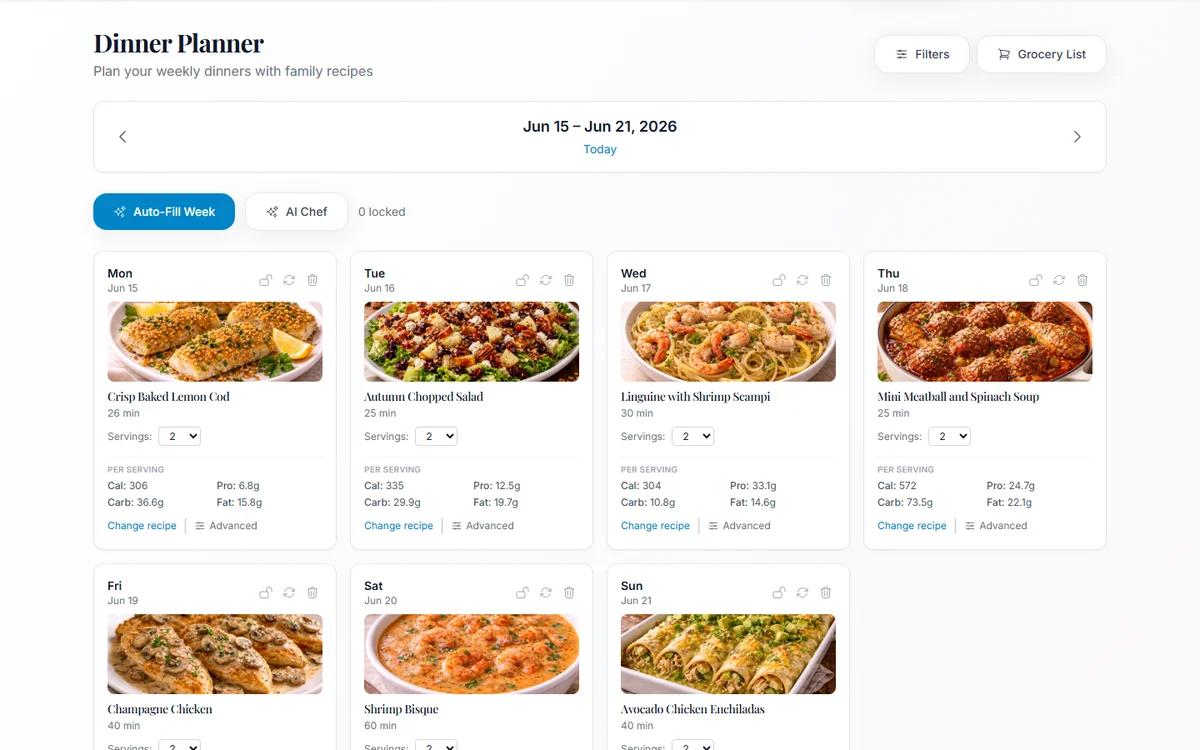
Meal Planning From Your Own Family Cookbook (Not a Stranger's Blog)
Most meal planners suggest recipes nobody in your house has agreed to eat. Planning from dishes your family already likes removes the hardest step.